Selecting Multiple Projects
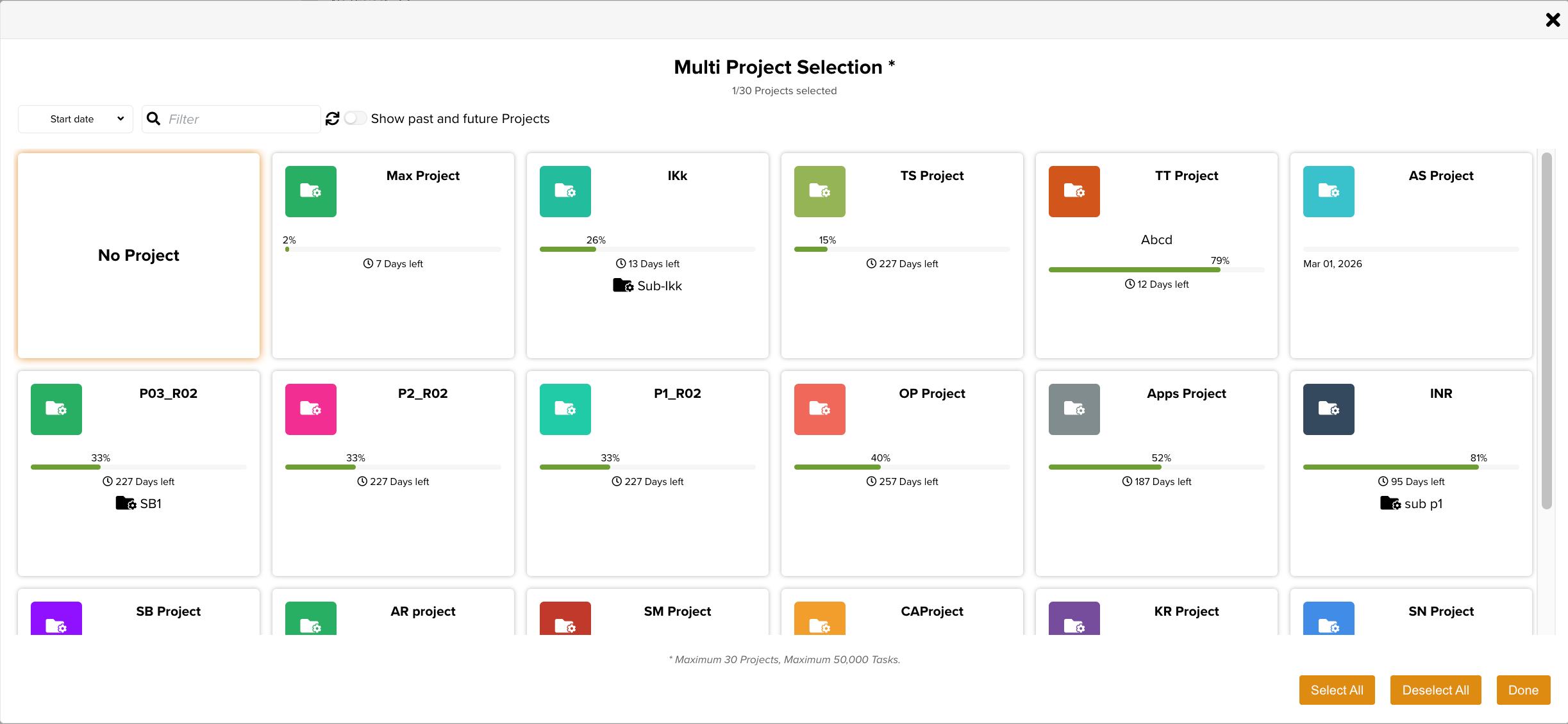
The Multi-Project feature lets you view Tasks from multiple Projects at once across the Inbox, Planning, Task, and Search tabs. To choose which Projects to include, use the Multi-Project Selection modal.
The Multi-Project Selection modal is available when No Project is selected in the Project Selector, as shown below.
 |
You can open the Multi-Project Selection modal from the following pages:
Inbox

Planning

Task
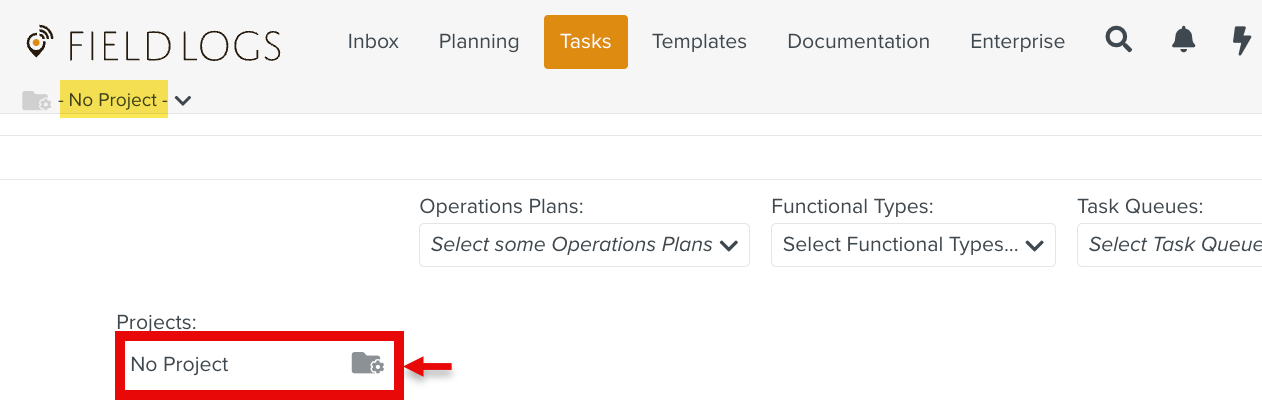
Search

By default, the modal opens with No Project selected. You can select up to 30 Projects.
 |
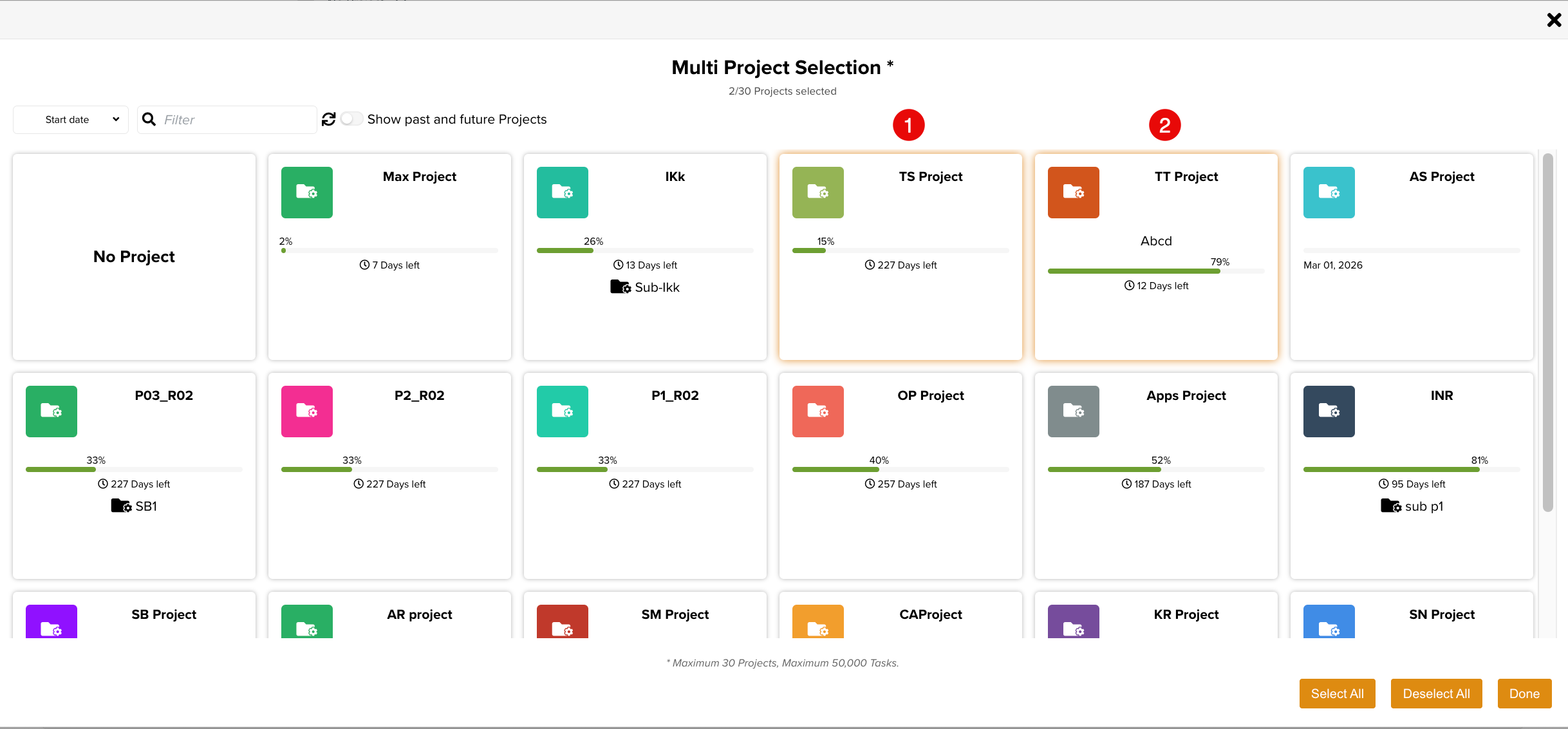
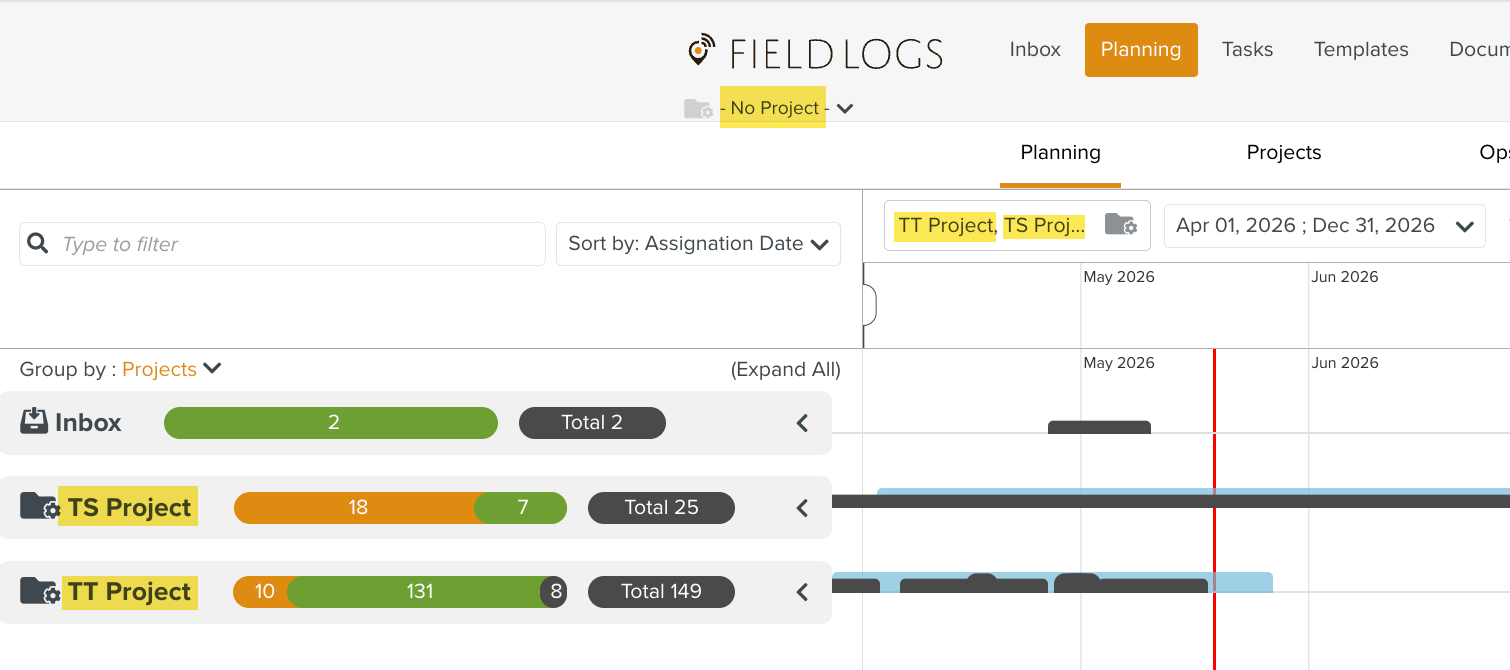
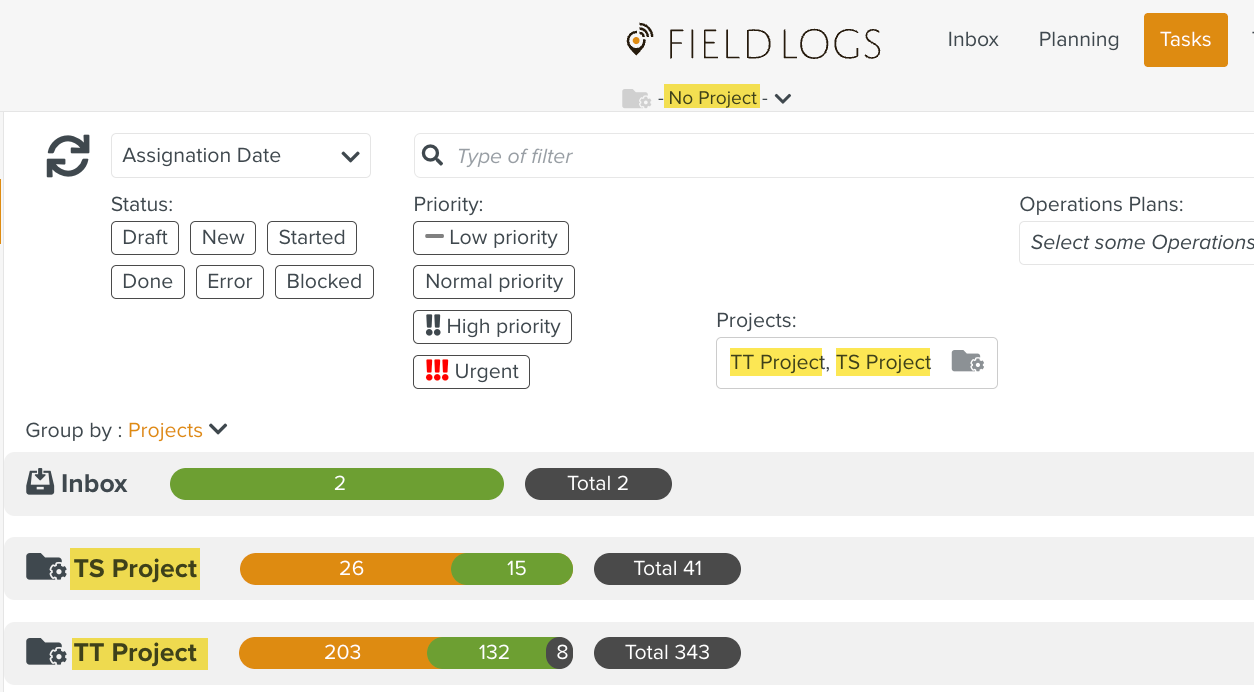
In the example below, TS Project and TT Project are selected.
 |
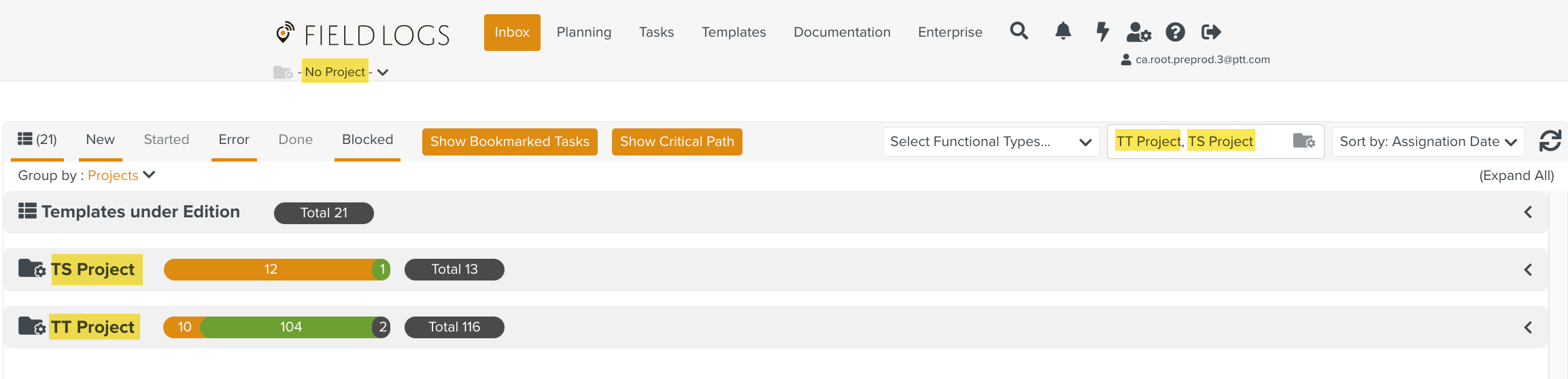
Tasks from these Projects are displayed in the Inbox, Planning, and Task tabs.
 |
 |
In the Search tab, results are filtered to show only Tasks from the selected Projects.