Auto-Regenerating Templates
Templates impacted by Screening can be auto-regenerated to align with the latest version of the Reference Manual.
The process of Template auto-regeneration is explained using the flow diagram below.
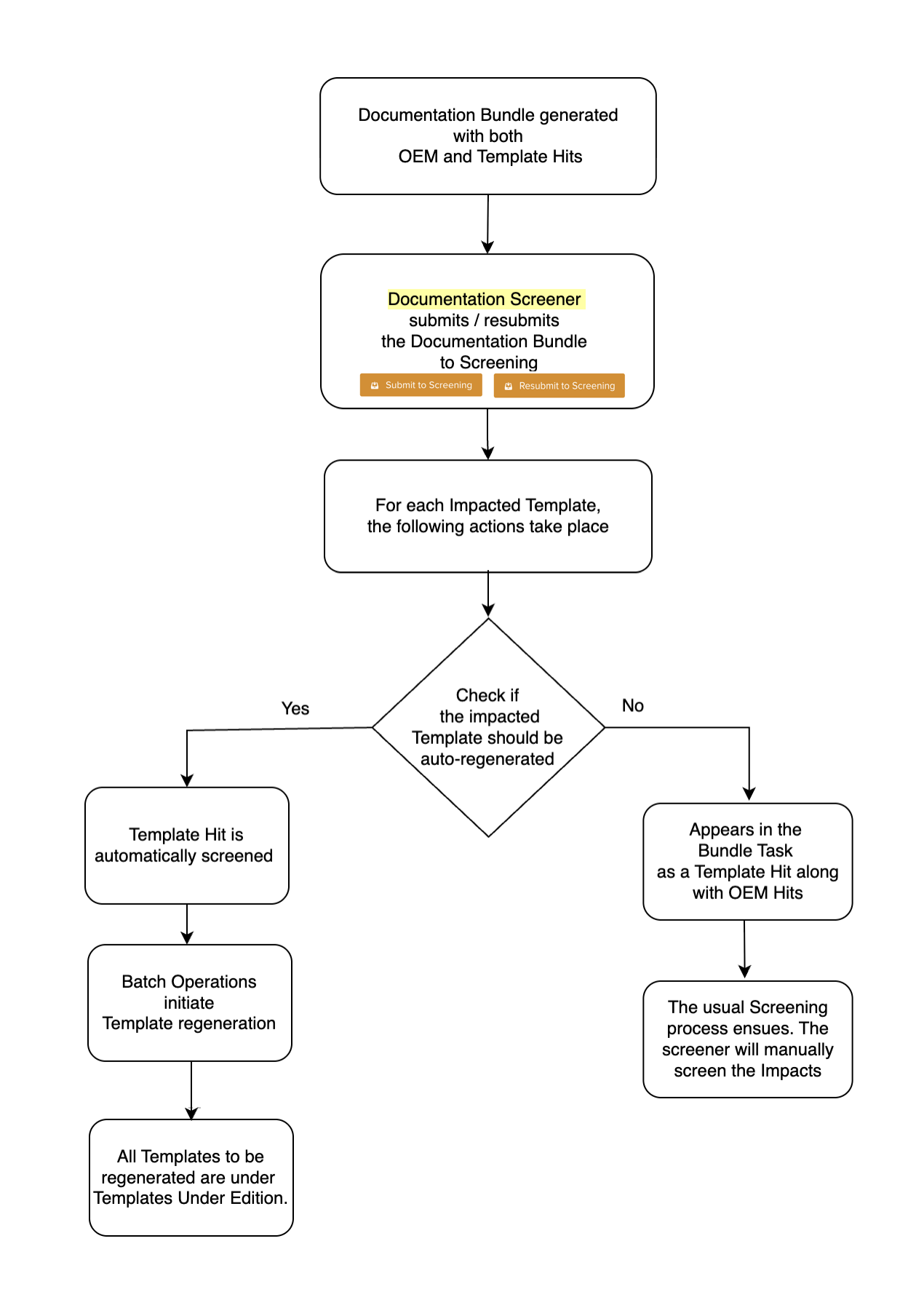 |
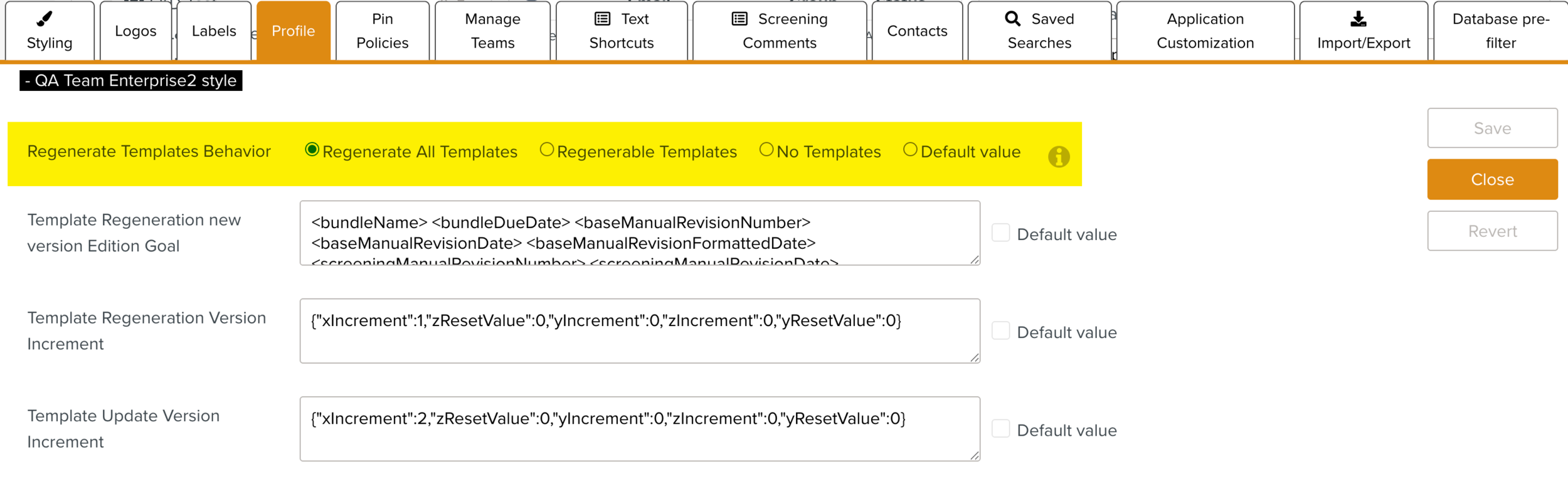
When you submit or resubmit a Documentation Bundle for Screening, the system identifies the Templates that need to be auto-regenerated. This can be carried out using the Enterprise setting Regenerate Templates Behavior.
 |
Note
Only the Template Hits that are not Pre-screened/ Screened already can be auto-regenerated.
Based on the behavior selected, the steps of the Template auto-regeneration process could vary. The table below explains the process for each behavior:
Auto-regeneration of all Templates | Auto-regeneration of regenerable Templates | No Templates |
|---|---|---|
Template Hits are automatically screened in the Documentation Bundle. | Template Hits of regenerable Templates are automatically screened in the Documentation Bundle. | Template Hits are not automatically screened in the Documentation Bundle. |
Only OEM Hits are available for Screening. | OEM Hits and Template Hits not considered for auto re-generation (if any) are available for Screening. | OEM Hits & Template Hits are available for Screening in the Bundle Task. |
Batch Operation starts for the auto-regeneration of all the impacted Templates. | Batch Operation starts for auto-regeneration of Regenerable Templates. | Document Screener manually screens all the Hits. |
The new version of the impacted Templates are initiated and available under Templates under Edition. NoteIf you are using the legacy UI, the regenerated Templates are available under OEM revised Template under Edition section. | The new version of the impacted regenerable Templates are initiated and available under Templates under Edition. NoteIf you are using the legacy UI, the regenerated Templates are available under OEM revised Template under Edition section. | Documentation Screener initiates the version update. |
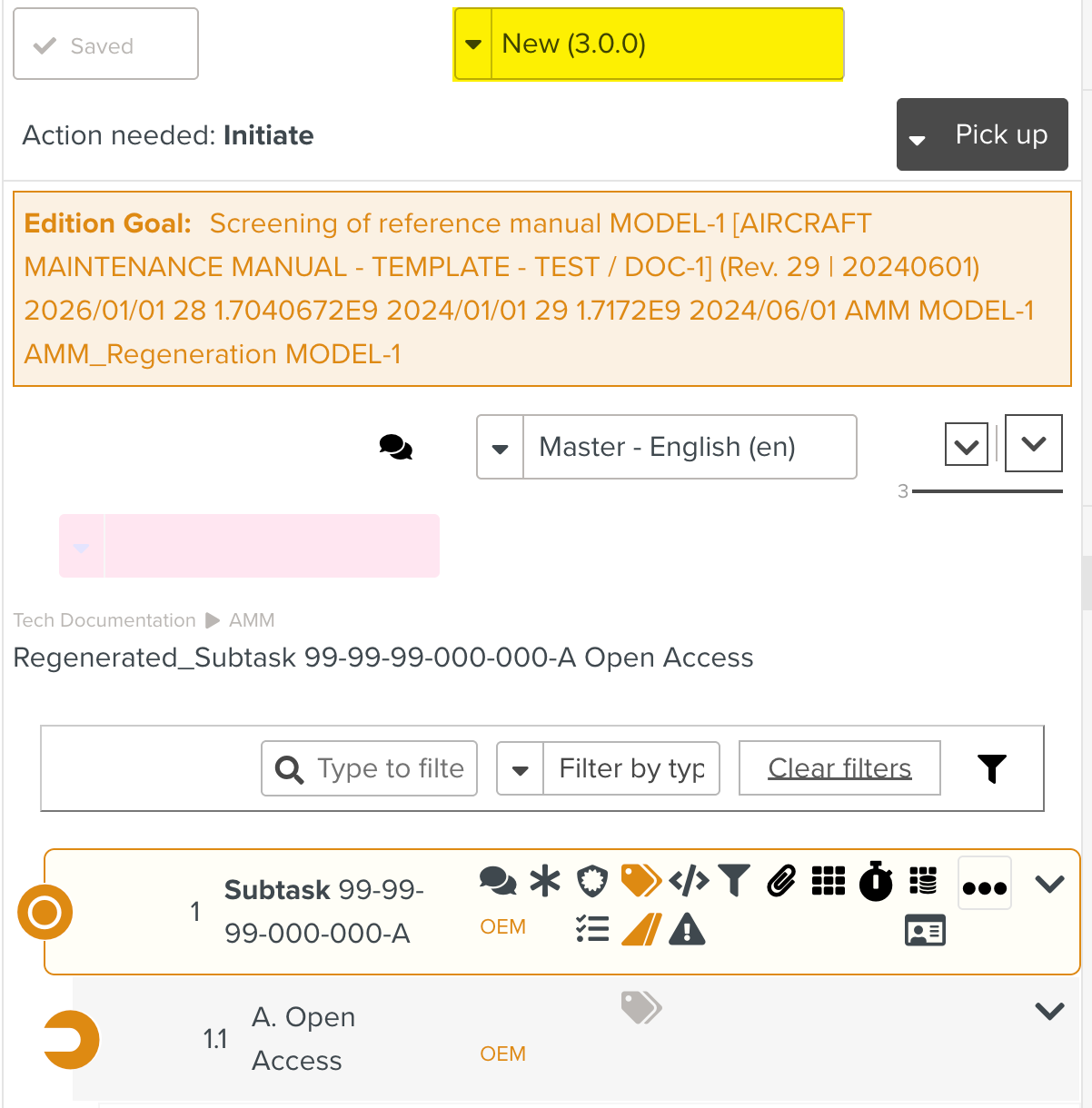
The version of auto-regenerated Templates gets incremented to the value defined using a JSON in the Enterprise Setting Template Regeneration Version Increment.
 |
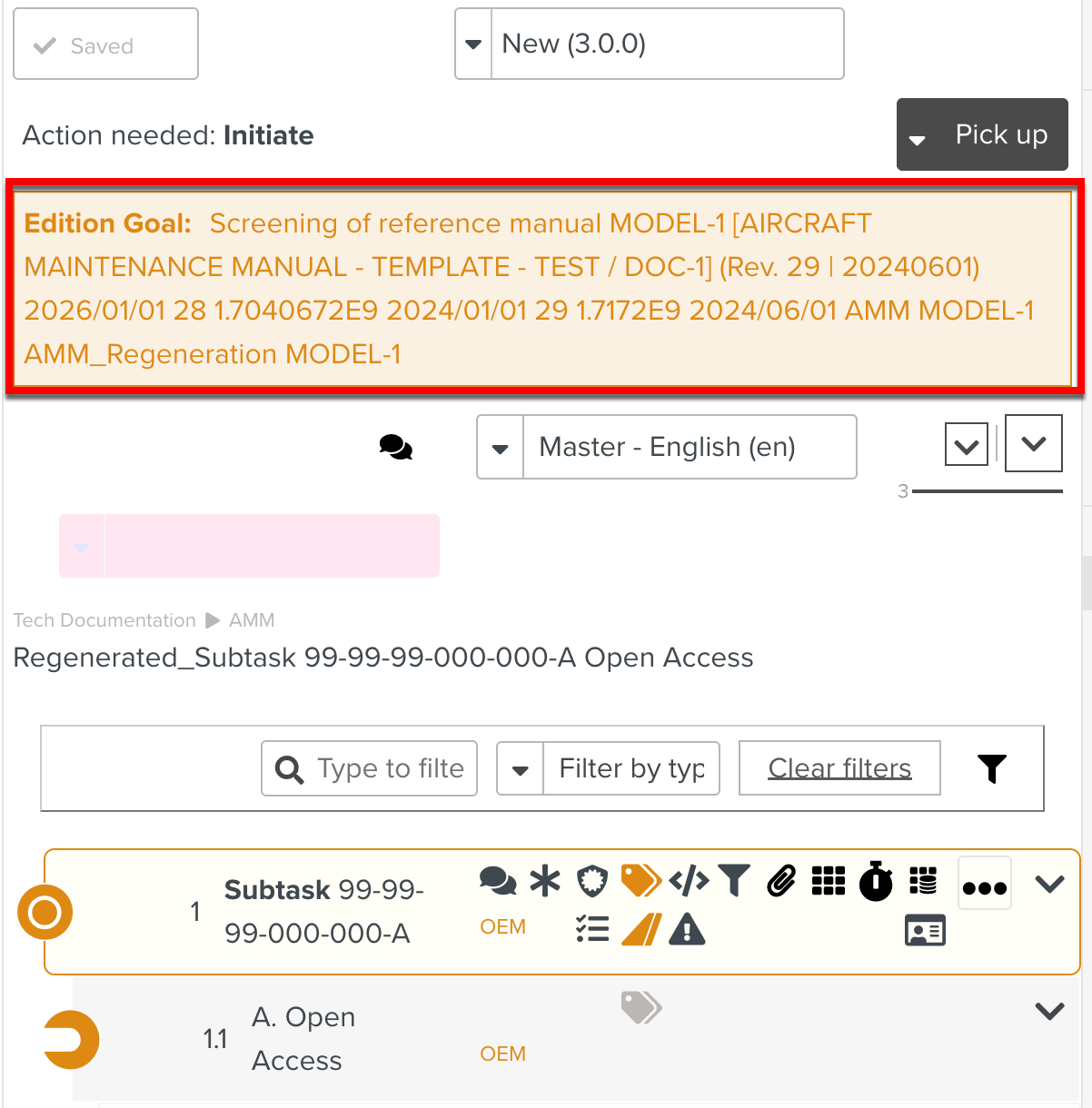
The Edition Goals displayed for the auto-regenerated Templates are defined using the Enterprise Setting Template Regeneration new version Edition Goal.
 |