Cells
The Table Cell manipulation Instructions manipulate cells of Table Steps in a Template.
This category includes four types of Fieldlogs specific Instructions:
Flkw:GetTableCellValueFlkw:SetTableCellValueFlkw:GetValidatedTableCellValueFlkw:SetValidatedTableCellValue
Flkw:GetTableCellValue retrieves the value of the specified cell of the Table and stores it in a Local Variable.
Format: Flkw:GetTableCellValue('Step ID', 'Row Number' ,'Column Step ID');
Parameters | Description |
|---|---|
Step ID | The ID of the target Table Step. |
Row Number | The number of the row that contains the target cell. |
Column Step ID | The Step ID of the column that contains the target cell. |
To construct a Script Instruction using Flkw:GetTableCellValue:
Select from the dropdown list. In the field, enter the
Flkw:GetTableCellValueInstruction as shown.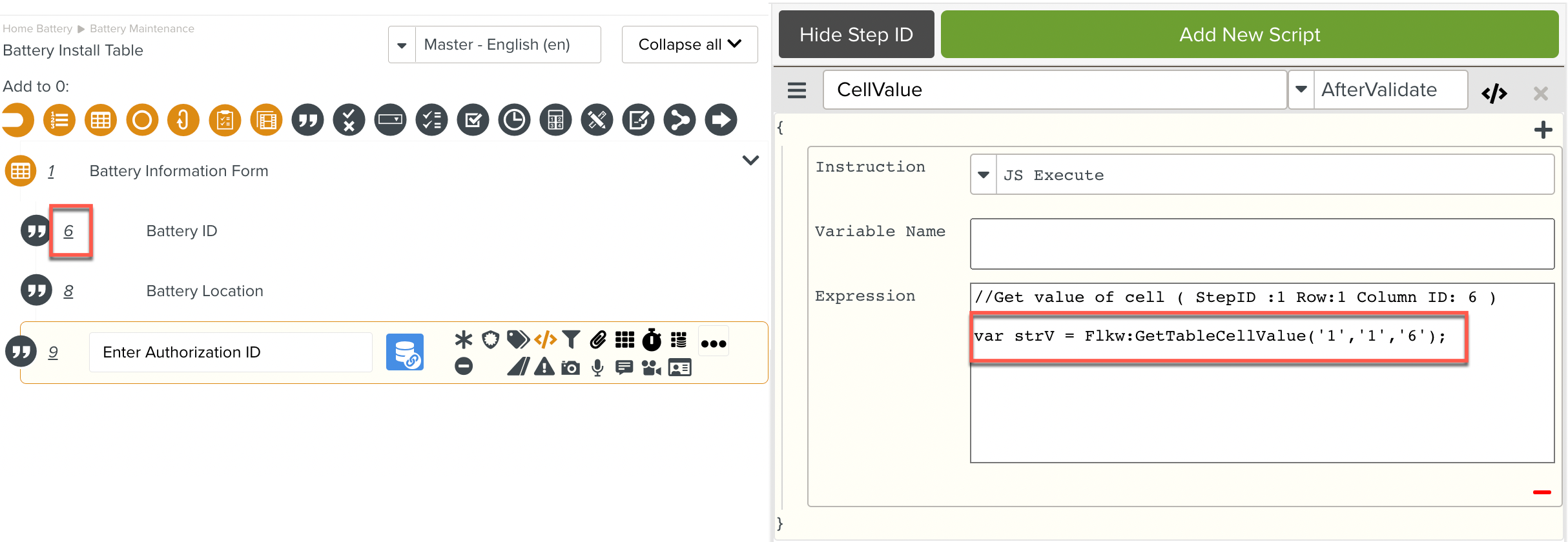
A Flkw:GetTableCellValue Instruction is added to the Script. The retrieved cell value is stored in a Local Variable and is available for use in the Script.
Flkw:SetTableCellValue sets the value of the specified cell of the Table.
Format: Flkw:SetTableCellValue('Step ID', 'Row Number' ,'Column Step ID', 'value');
Parameters | Description |
|---|---|
Step ID | The ID of the target table step. |
Row Number | The number of the row that contains the target cell. |
Column Step ID | The Step ID of the column that contains the target cell. |
value | The value to set in the target cell. |
To construct a Script Instruction using Flkw:SetTableCellValue:
Select from the dropdown list. In the field, enter the
Flkw:SetTableCellValueInstruction as shown.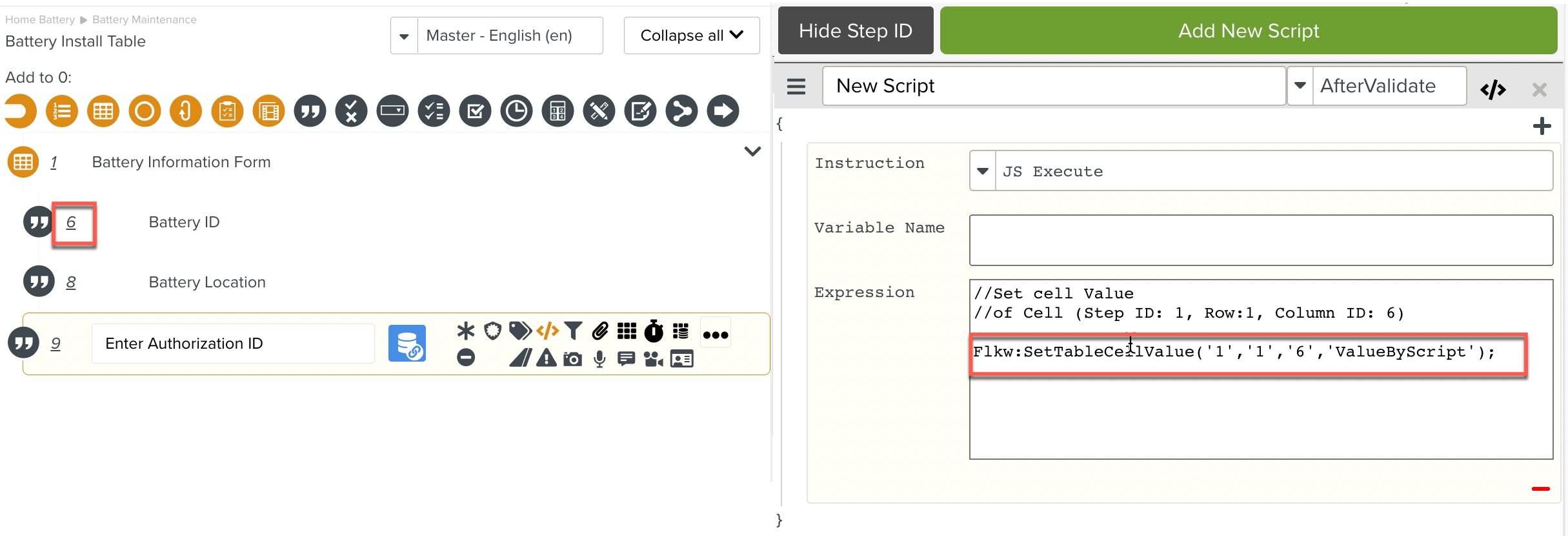
The Flkw:SetTableCellValue Instruction is added to the Script.
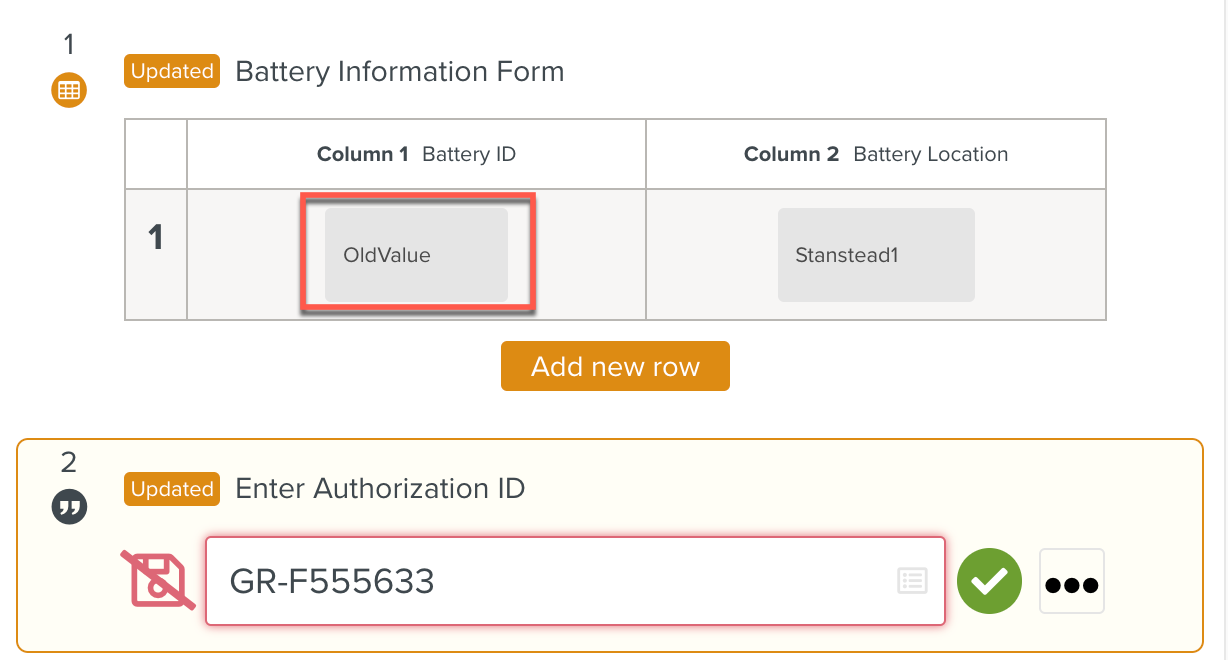 |
At runtime, before the validation of Step 2, the user input value OldValue is present in the cell.
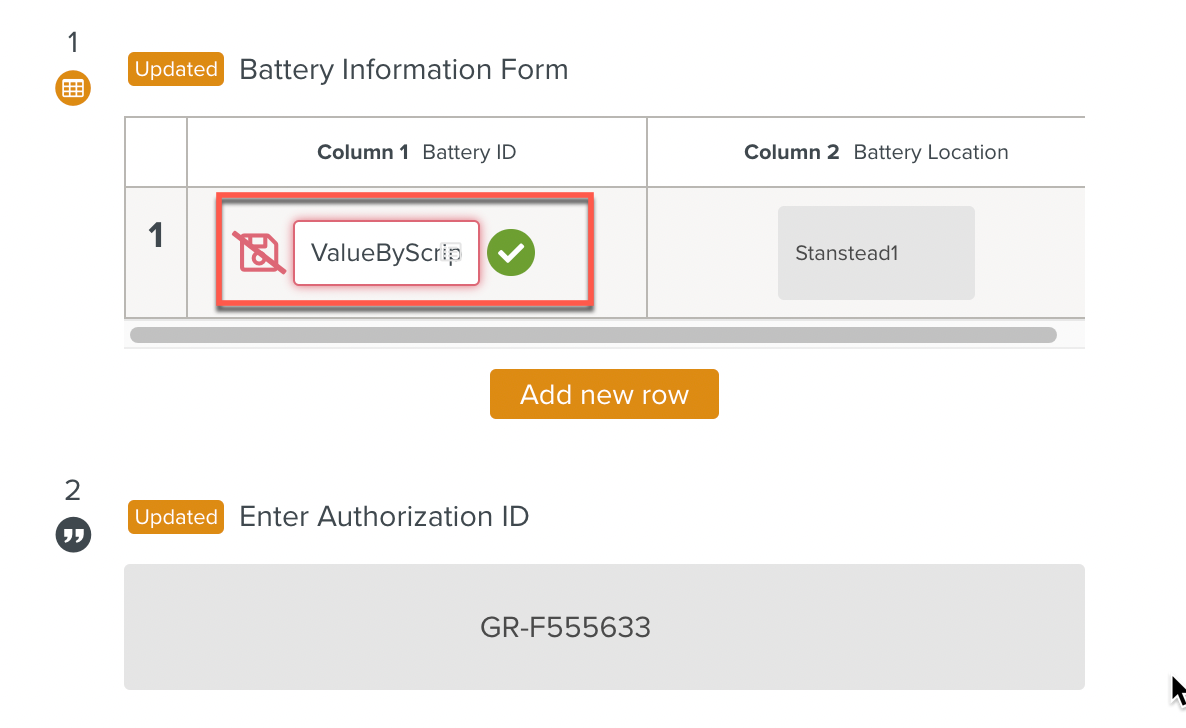 |
At runtime, the Script sets the value of the cell with the value ValueByScript after the validation of Step 2.
Note that the value is not validated. The user is required to validate the entry.
Flkw:GetValidatedTableCellValue retrieves the validated value of the specified cell of the Table and stores it in a Local Variable.
Format: Flkw:GetValidatedTableCellValue('Step ID', 'Row Number' ,'Column Step ID');
Parameters | Description |
|---|---|
Step ID | The ID of the target Table Step. |
Row Number | The number of the row that contains the target cell. |
Column Step ID | The Step ID of the column that contains the target cell. |
To construct a Script Instruction using Flkw:GetValidatedTableCellValue:
Select from the Instruction dropdown list. In the field, enter the
Flkw:GetValidatedTableCellValueInstruction as shown.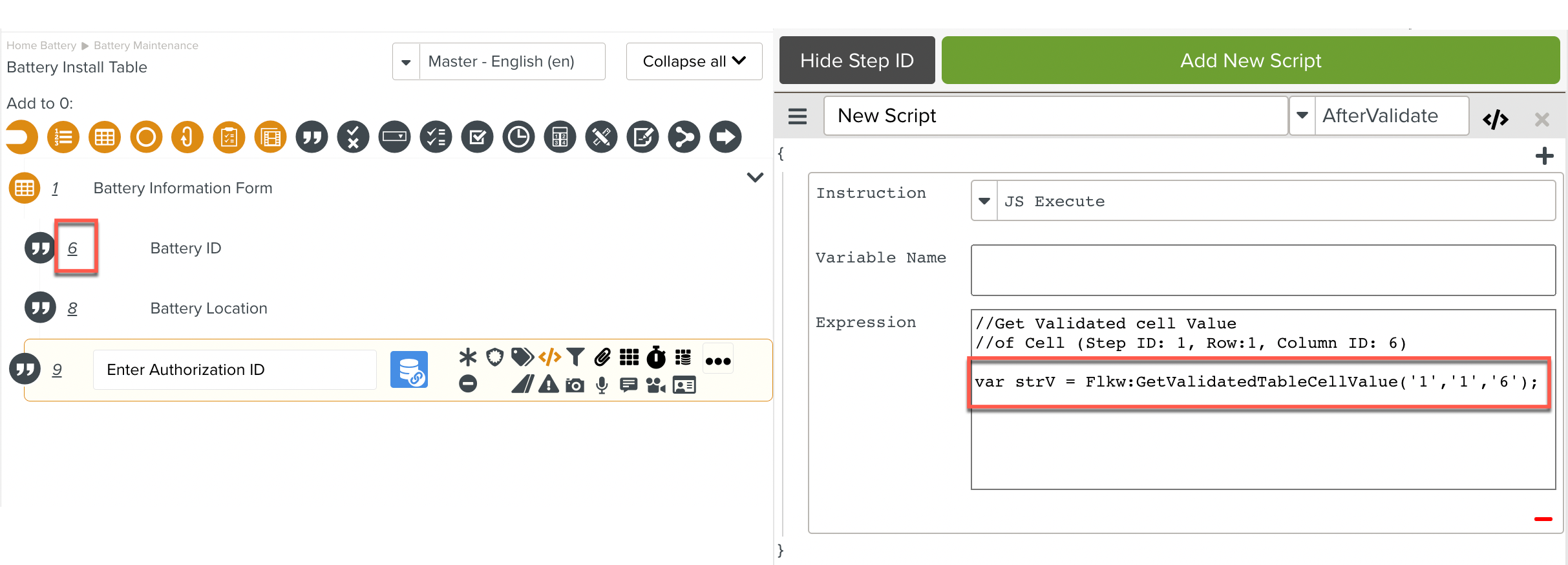
The Flkw:GetValidatedTableCellValue Instruction is added to the Script.
The retrieved cell value is stored in a Local Variable and is available for use in the Script.
Flkw:SetValidatedTableCellValue sets the validated value of the specified cell of the Table.
Format:Flkw:SetValidatedTableCellValue("step ID","row ID","column ID","value");
Parameters | Description |
|---|---|
step ID | The ID of the target table step. |
row ID | The ID of the row that contains the target cell. |
column ID | The ID of the column that contains the target cell. |
value | The value to set in the target cell. |
To construct a Script Instruction using Flkw:SetValidatedTableCellValue
Select from the dropdown list. In the field, enter the
Flkw:SetValidatedTableCellValueInstruction as shown.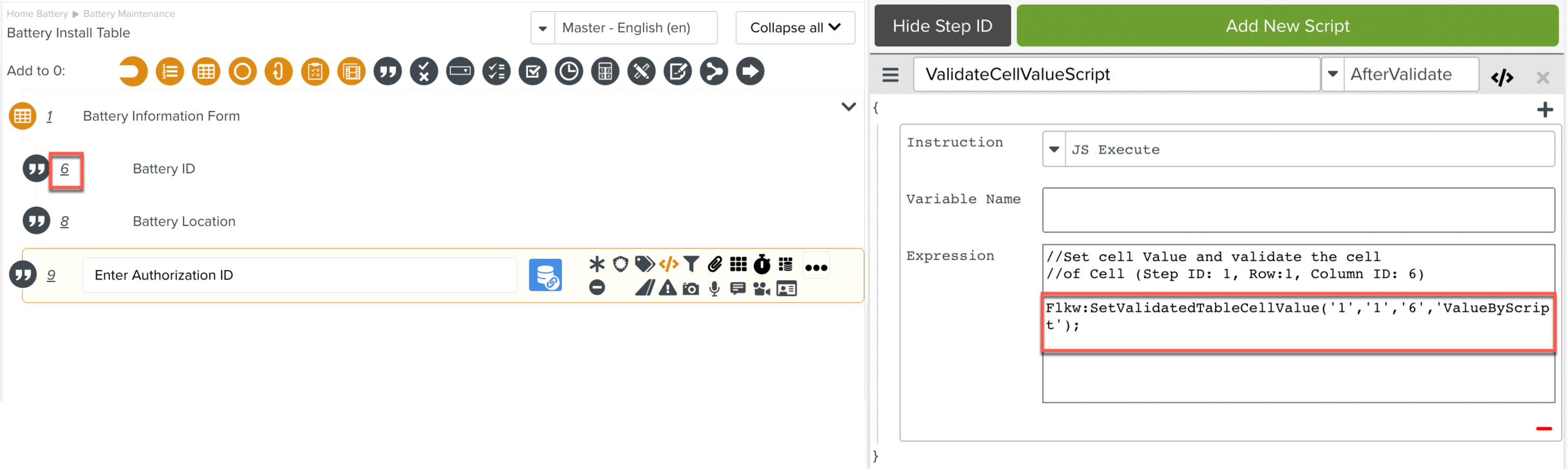
The
Flkw:SetValidatedTableCellValueInstruction is added to the Script.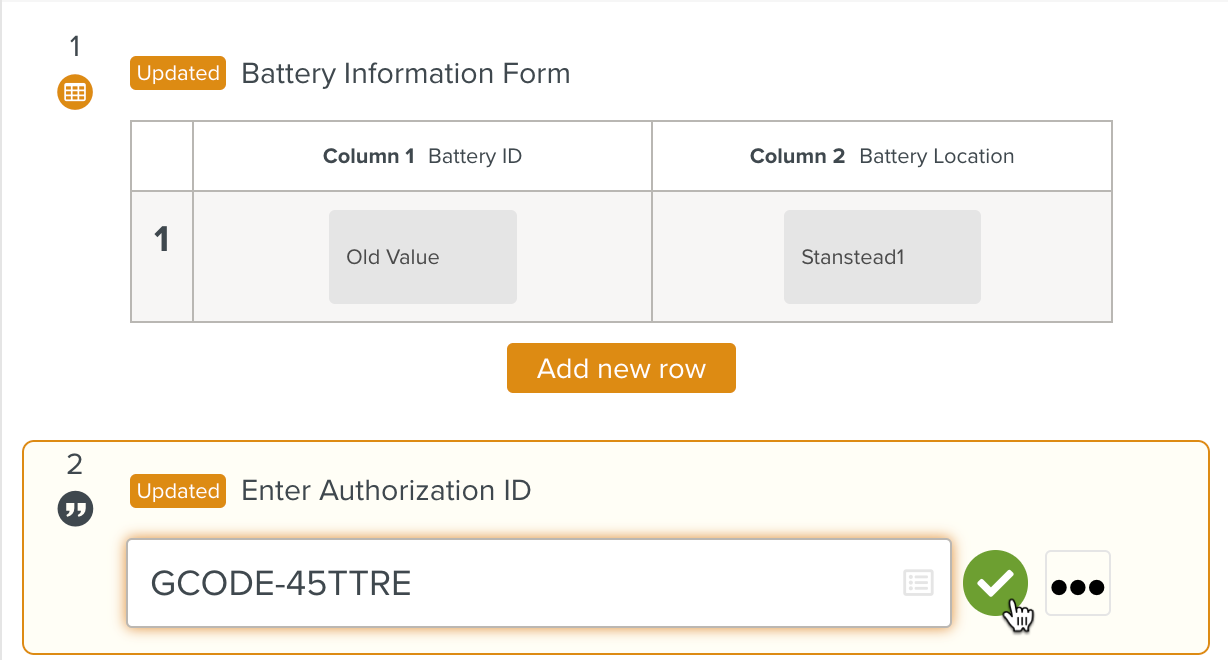
At runtime, before the validation of Step 2, the user input value OldValue is present in the cell.
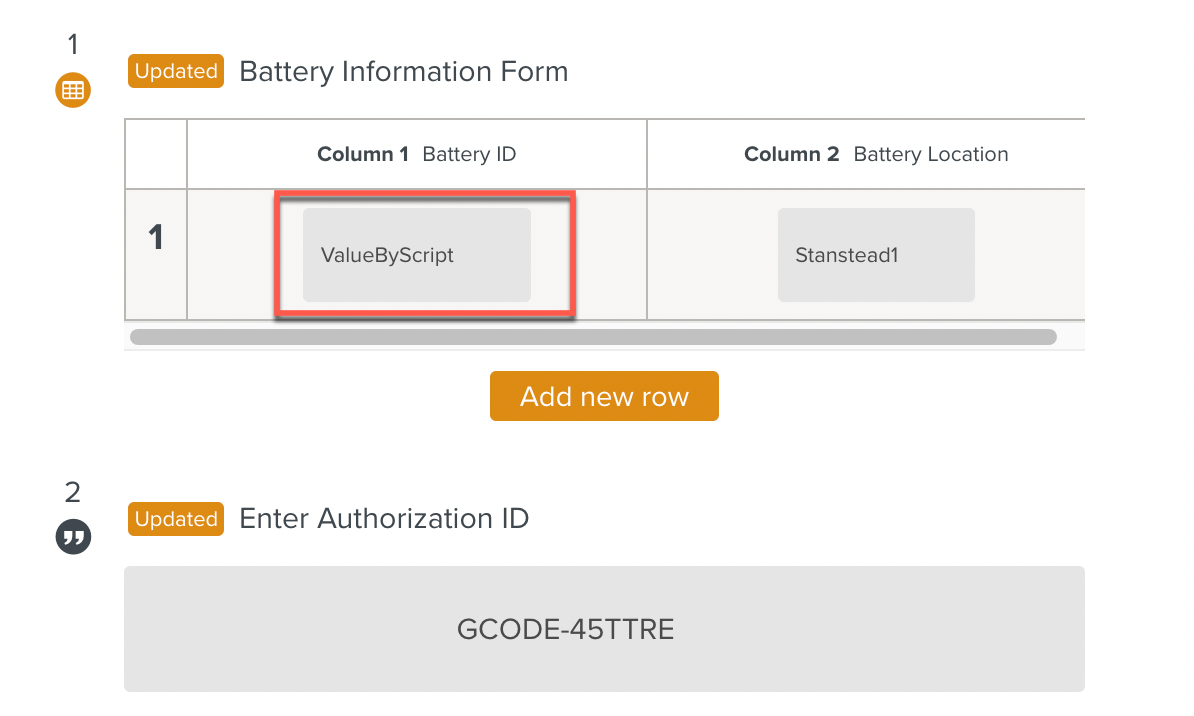
At runtime, the Script sets the value of the cell with the value ValueByScript after the validation of Step 2.
Note that the value is validated by the Script. The user is not required to validate the entry.