Managing Customer Oriented Changes (COCs)
COCs are Customer Oriented Changes that can be added to the OEM Manual structure by inserting a Template or by creating a new COC.
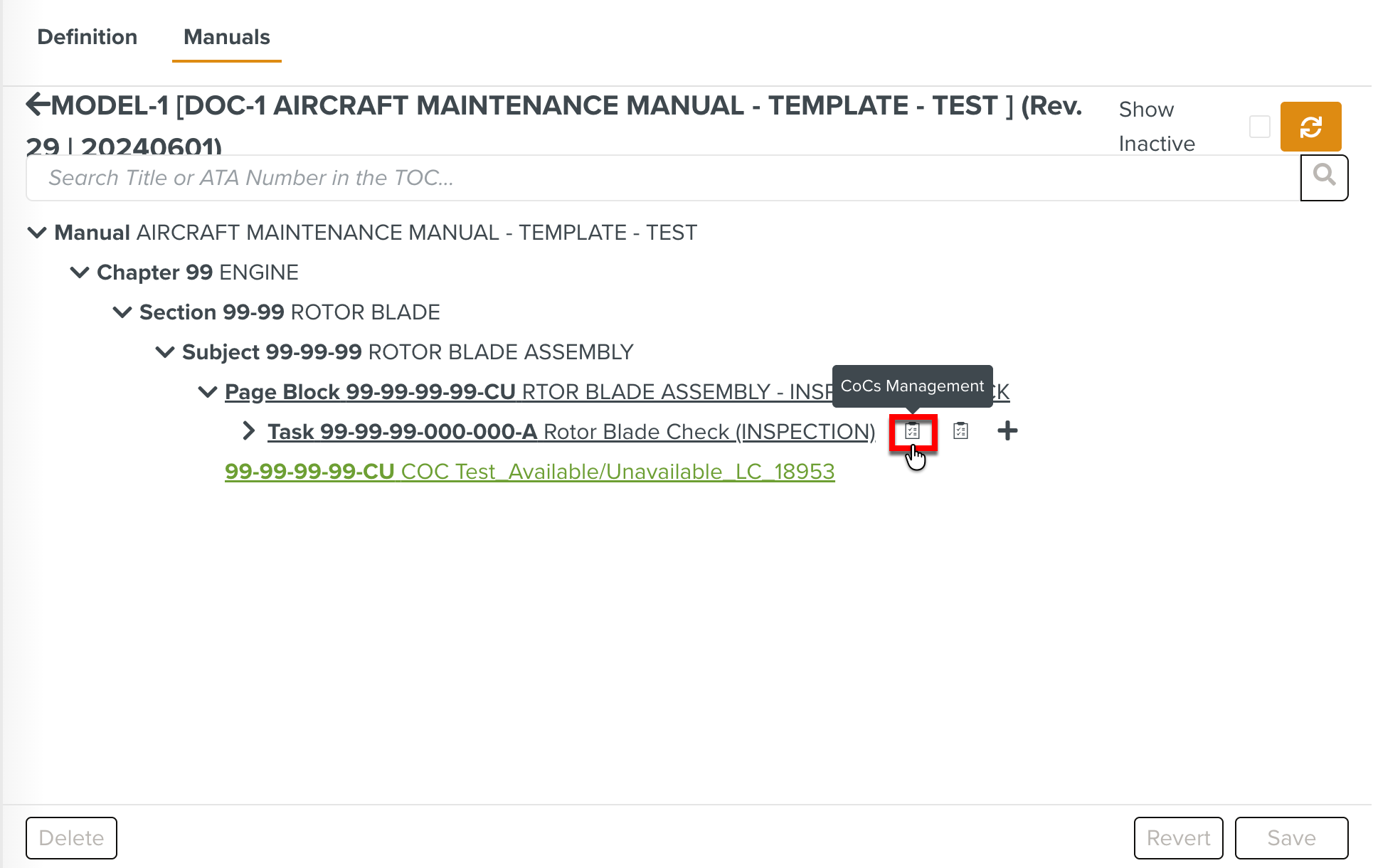
In the Manual Catalog Management, you can view the COCs merged to the Manual structure while browsing through the Manuals. Hovering over the Manual elements displays the CoCs Management and CoCs Stage Release options.
 |
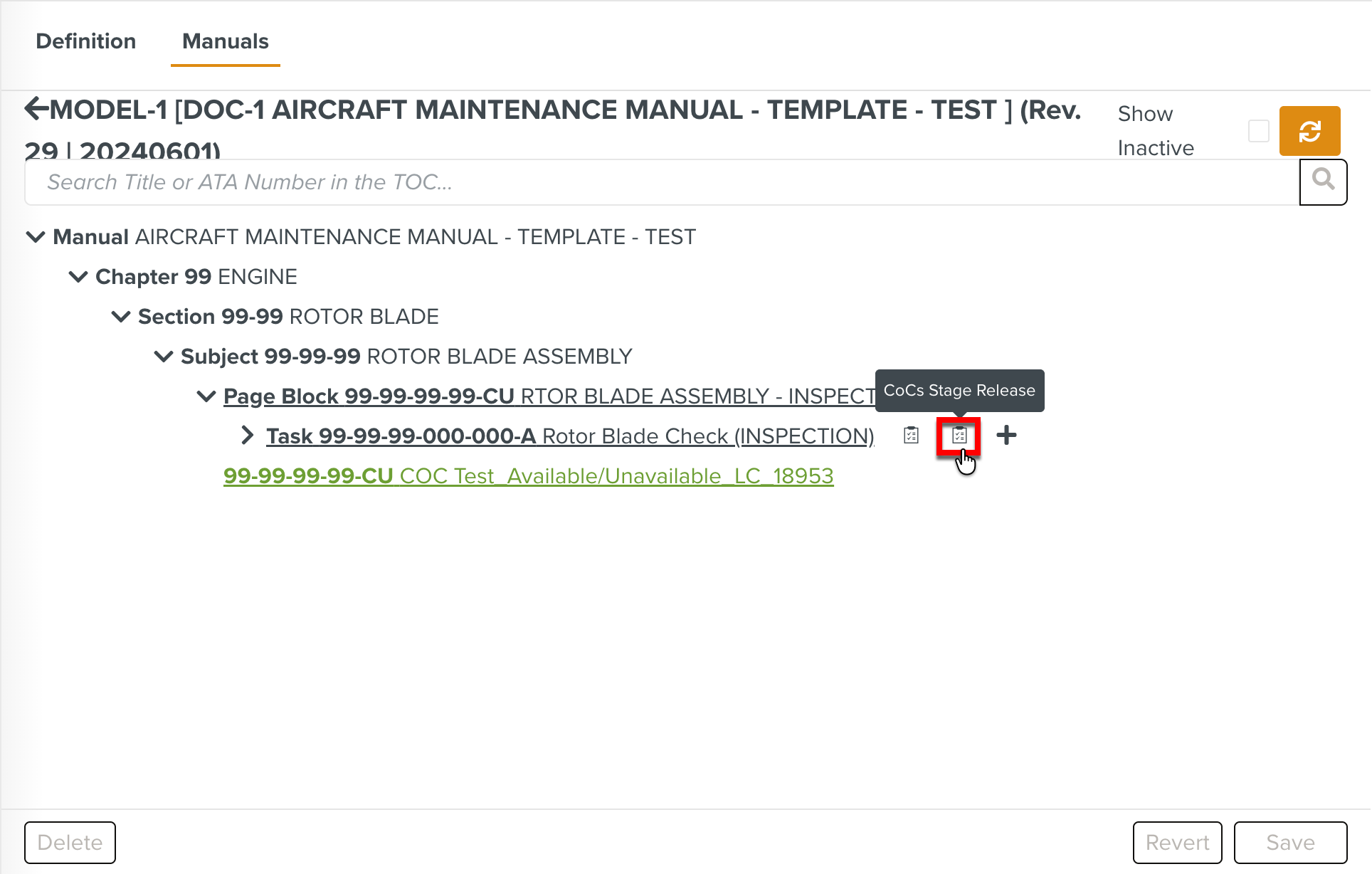 |
These options open the Template Versions Edition tab where you can manage the versions of the COCs, move them to available or unavailable and release them when required.
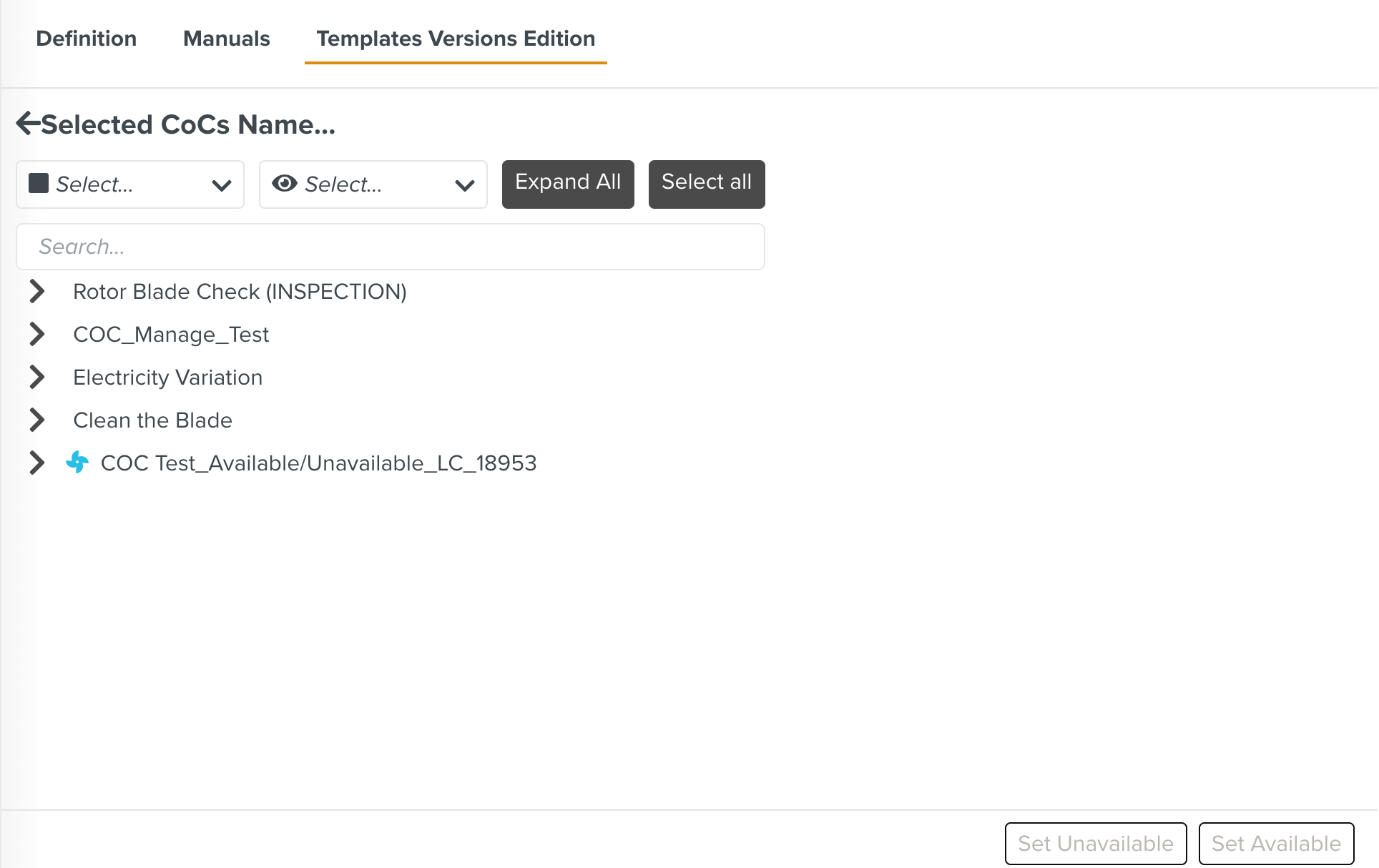
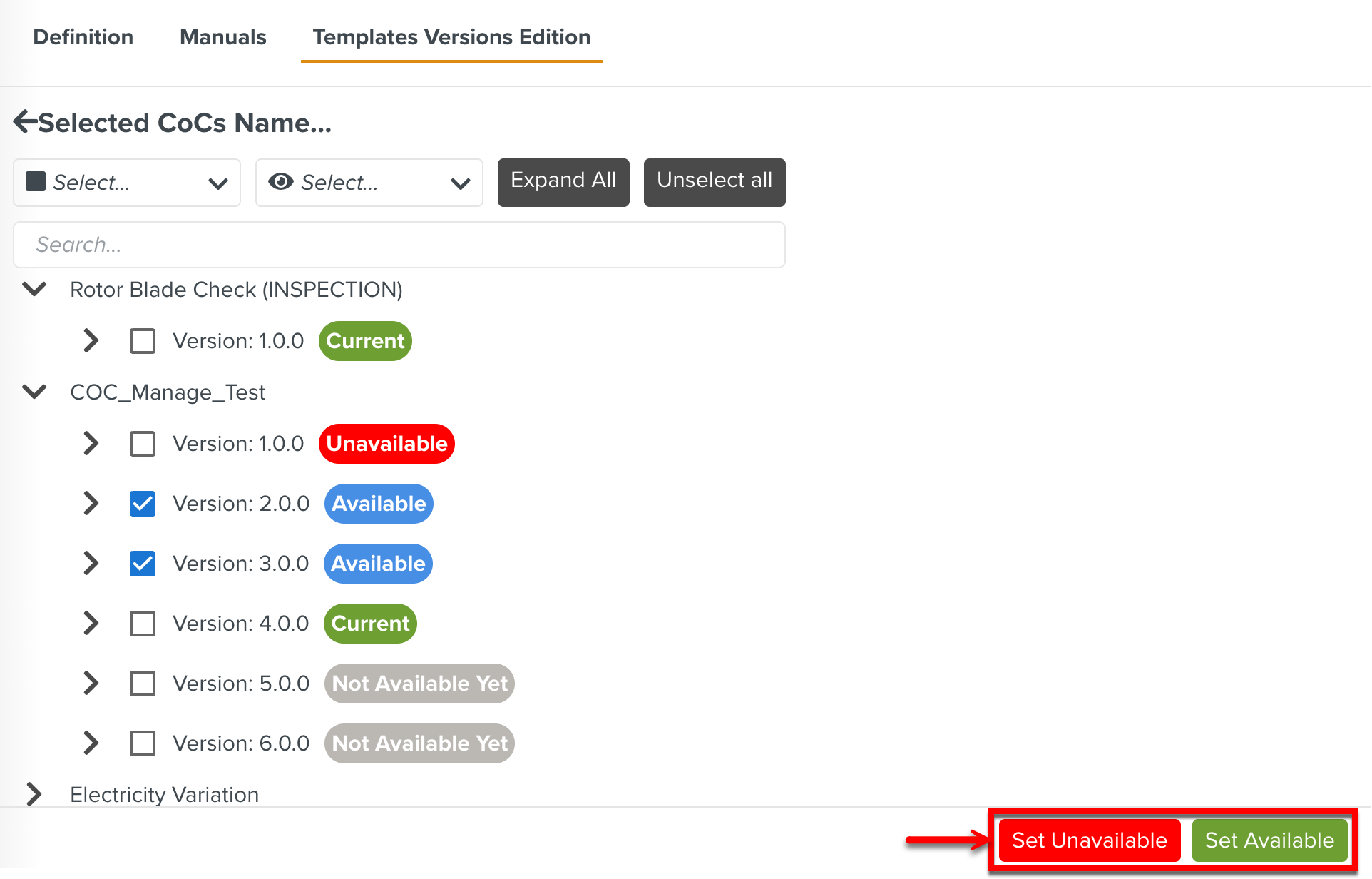
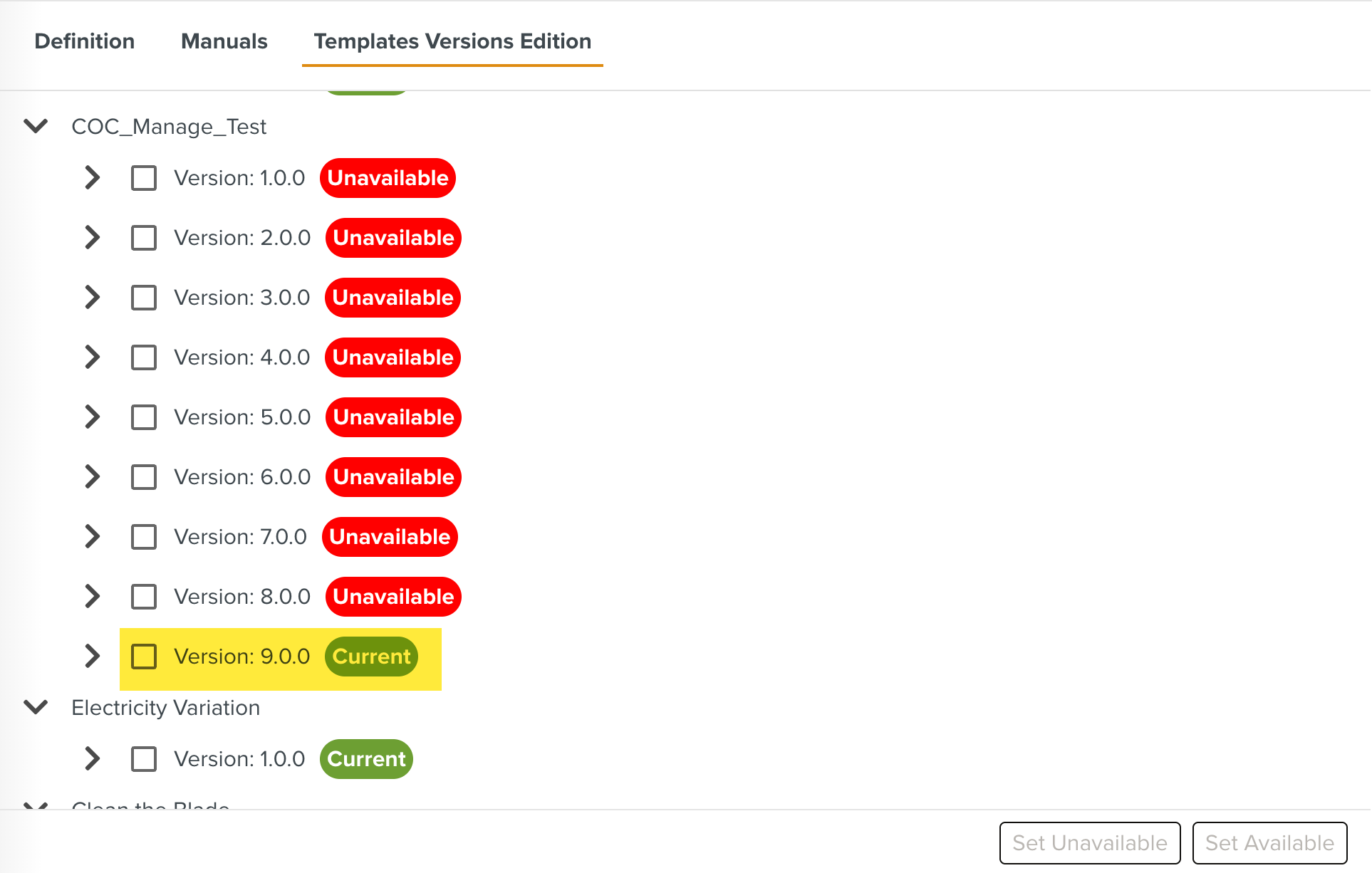
When you click CoC Management, the Templates Versions Edition tab lists all the COCs as shown below.
 |
Expand the COCs to view the Template version details and current statuses. The versions could be in one of the following statuses:
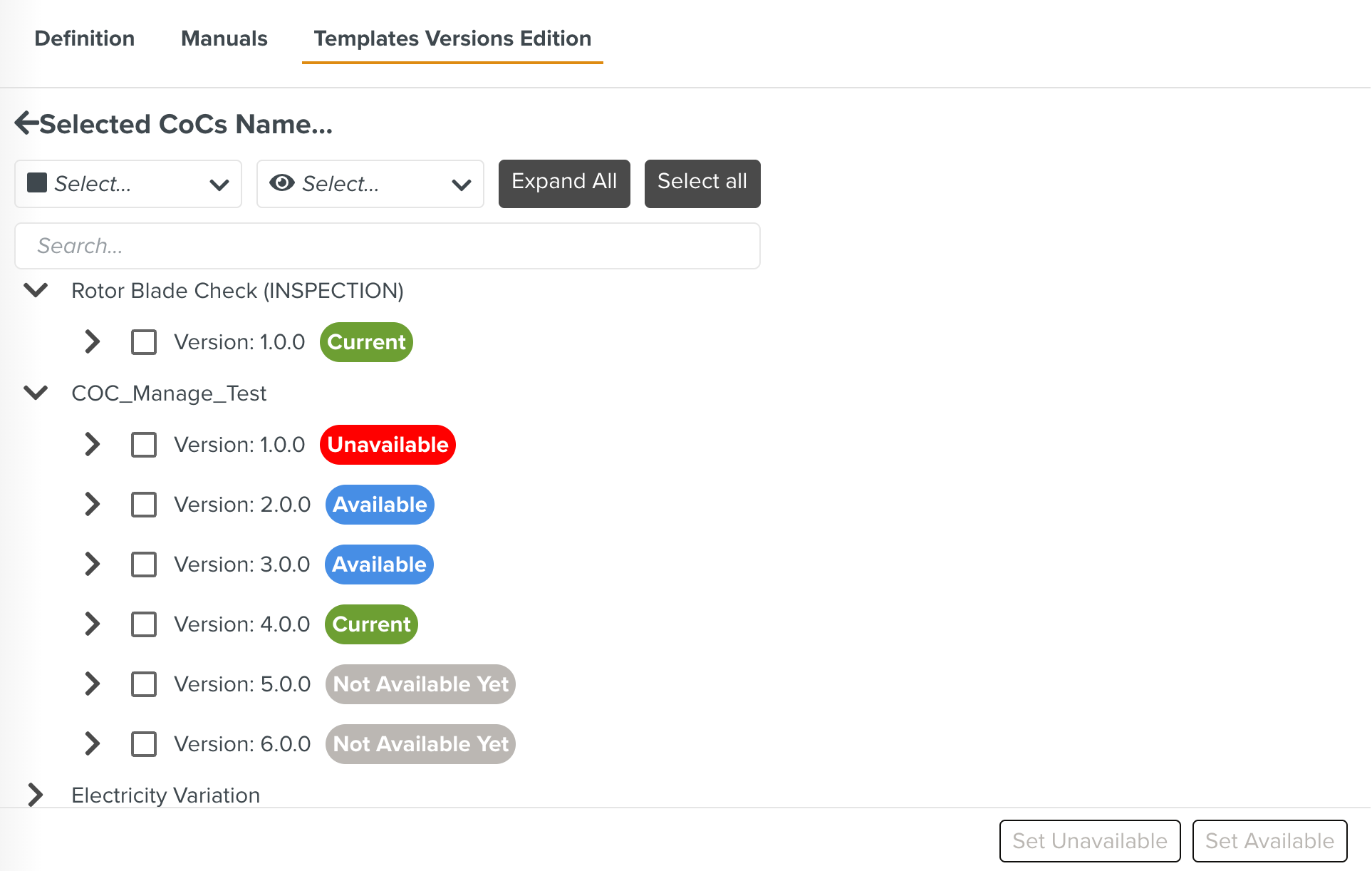 |
Current
Available
Not Available Yet
Unavailable
You can select a version and modify the status to Available or Unavailable as required using the and options.
 |
Filters and other options available in the section are highlighted below:
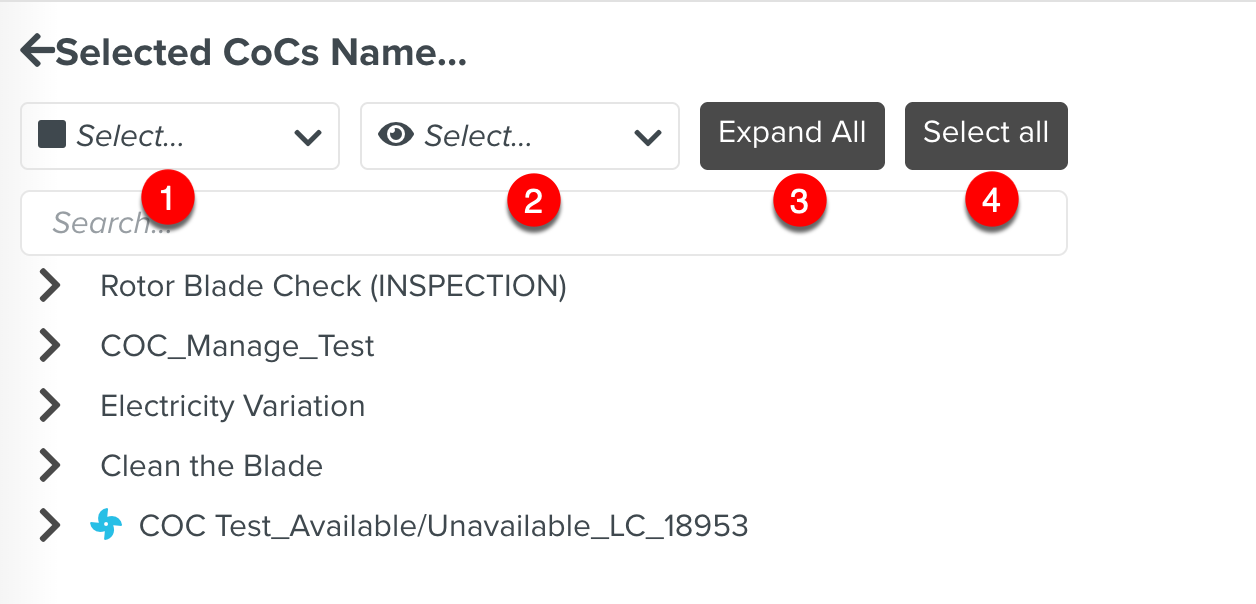 |
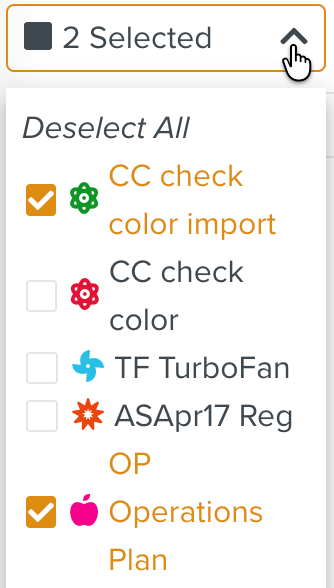
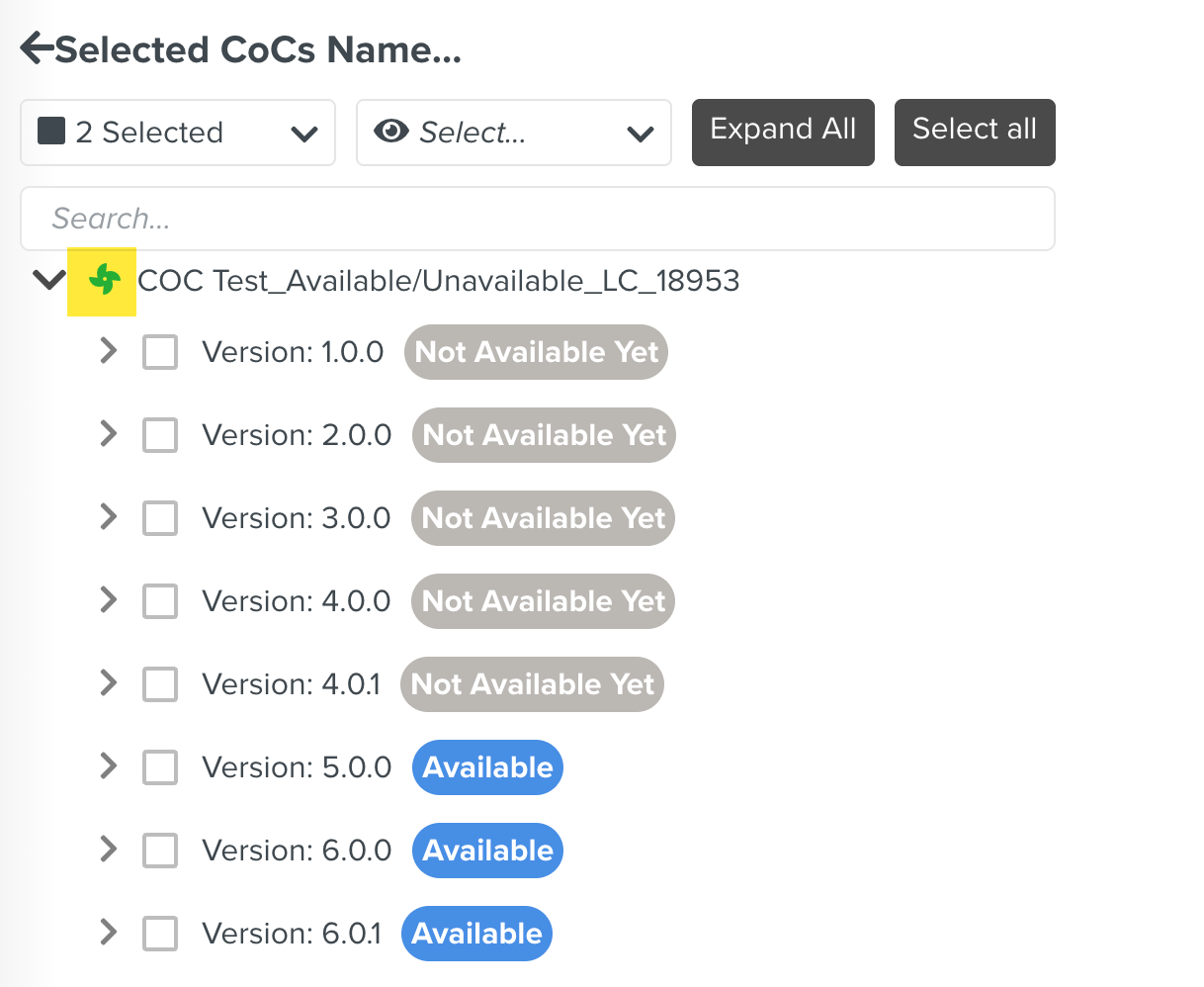
Filters the COCs by the selected Functional Types.
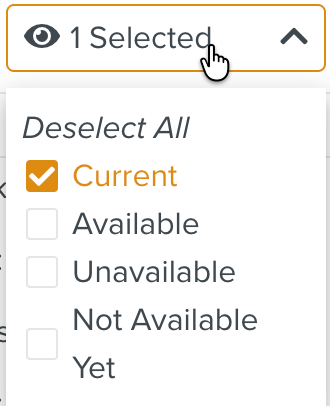
Filters the COCs by the selected statuses.
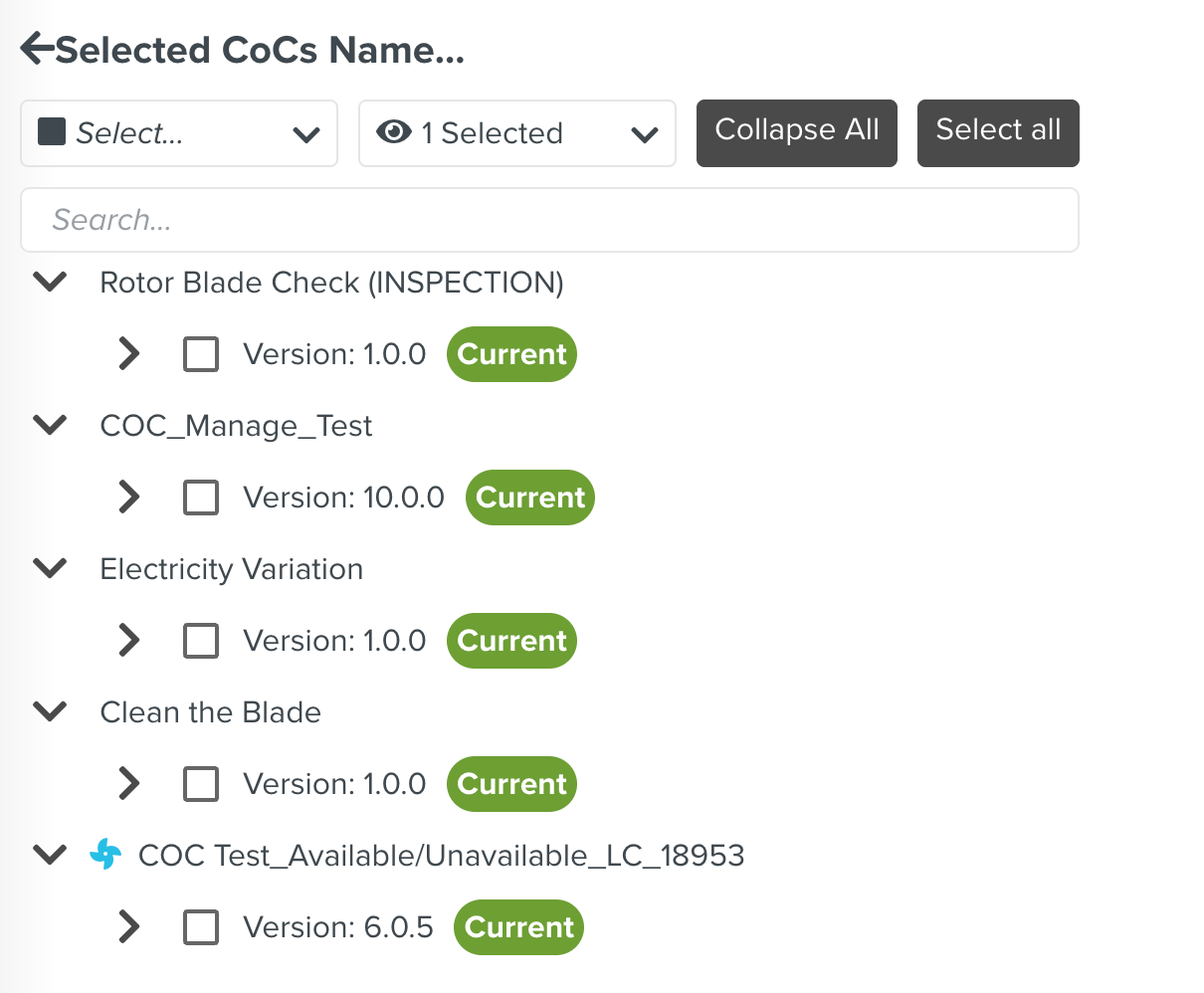
Expands all the COCs to view the Template versions.
Selects all the versions of all the COCs.
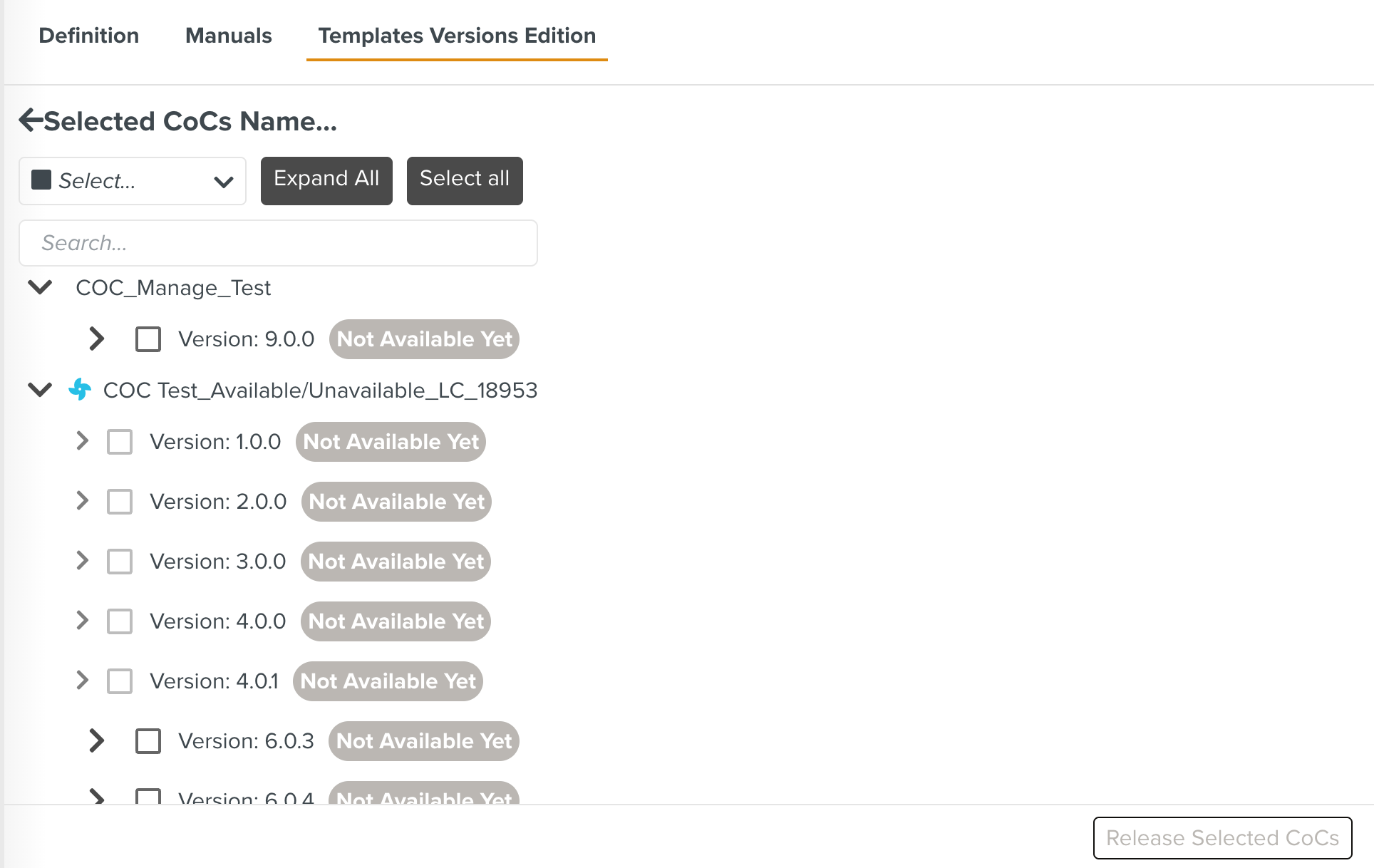
When you click the CoCs Stage Release icon, the COC Template versions that are in Not Available Yet status are listed in the Templates Versions Edition tab.
 |
You can select the required versions and click to update the status to Available or Current.
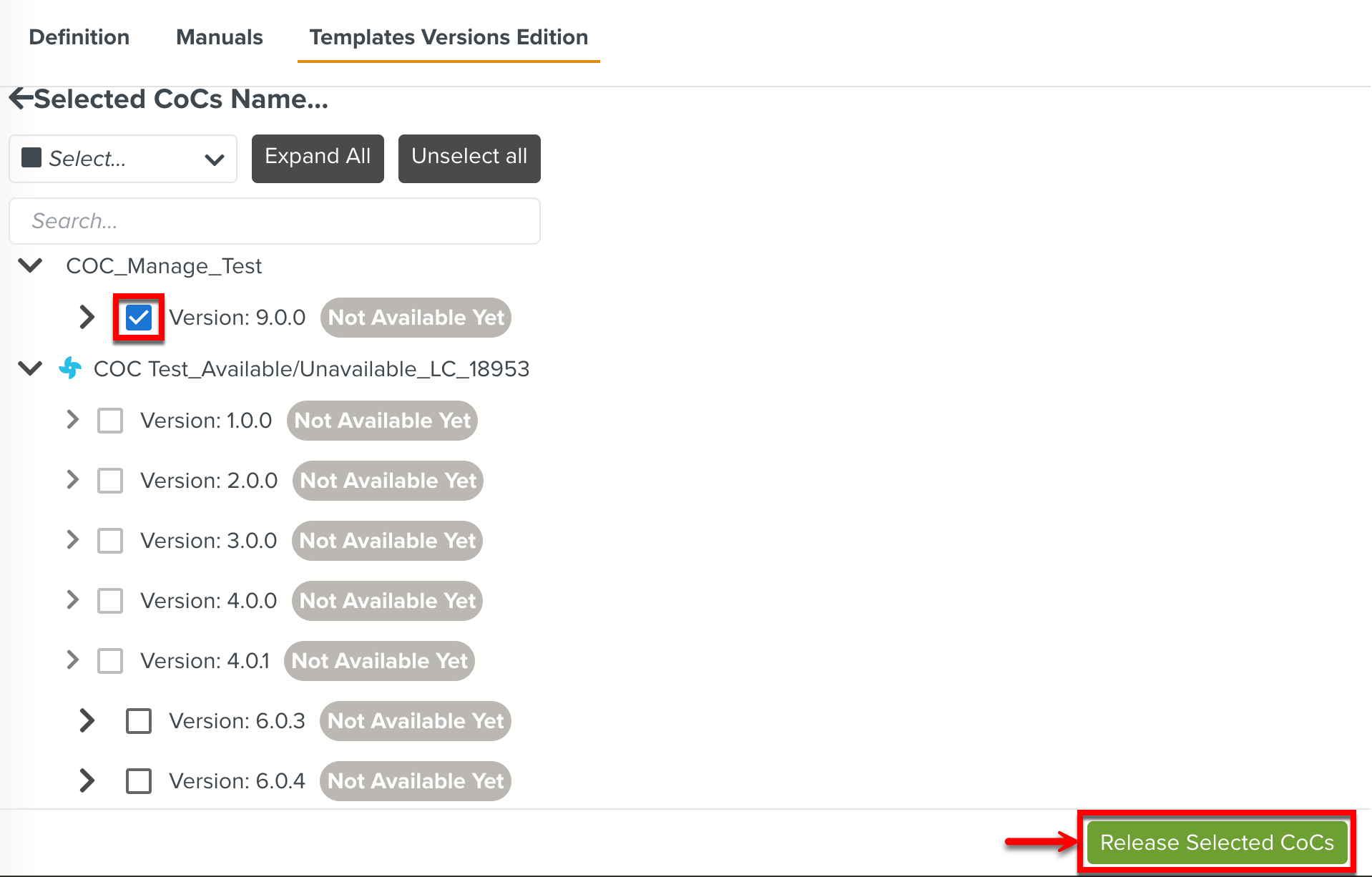 |
The released version is moved to CoCs Management from COCs Stage Release and is set to Current status. All the previous versions of the COC Template are set to Unavailable.
 |