Using Techpubs
Technical Publications, referred to as Techpubs is a search option available in FieldLogs to search through the content of the Reference Manuals.
The Techpubs search can be accessed by selecting Techpubs under Documentation in the main menu.
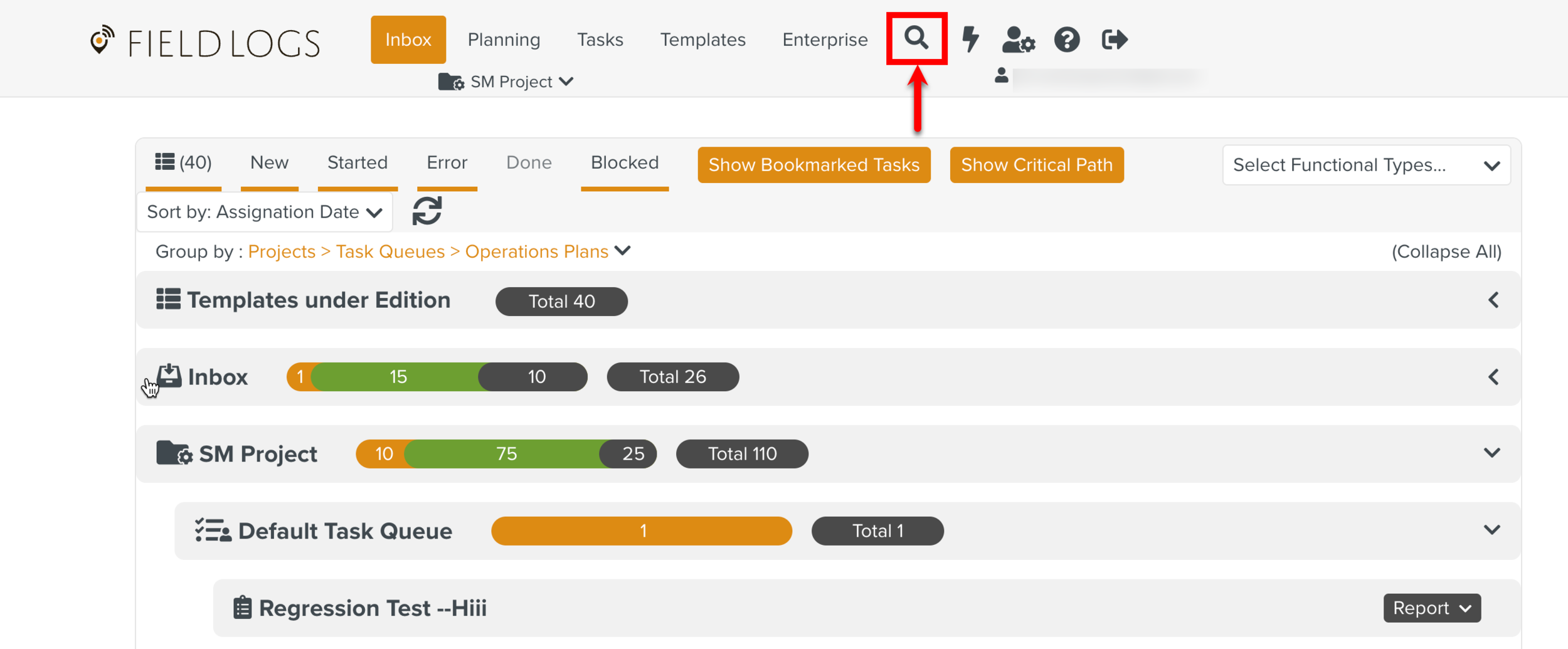
Note
You can also access Techpubs by clicking Advanced search from Manual Catalog Management.
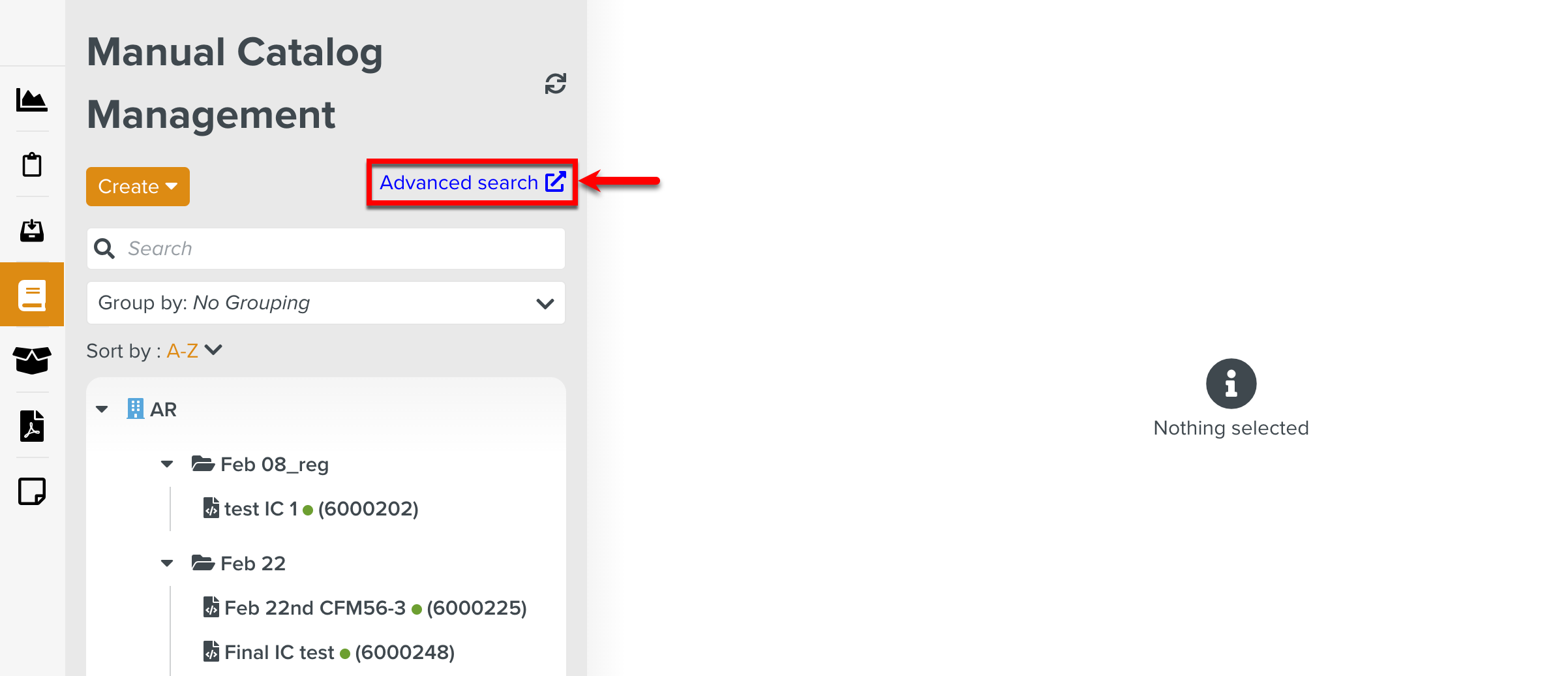 |
When you select Techpubs in the dropdown, the page Select a Manual opens.
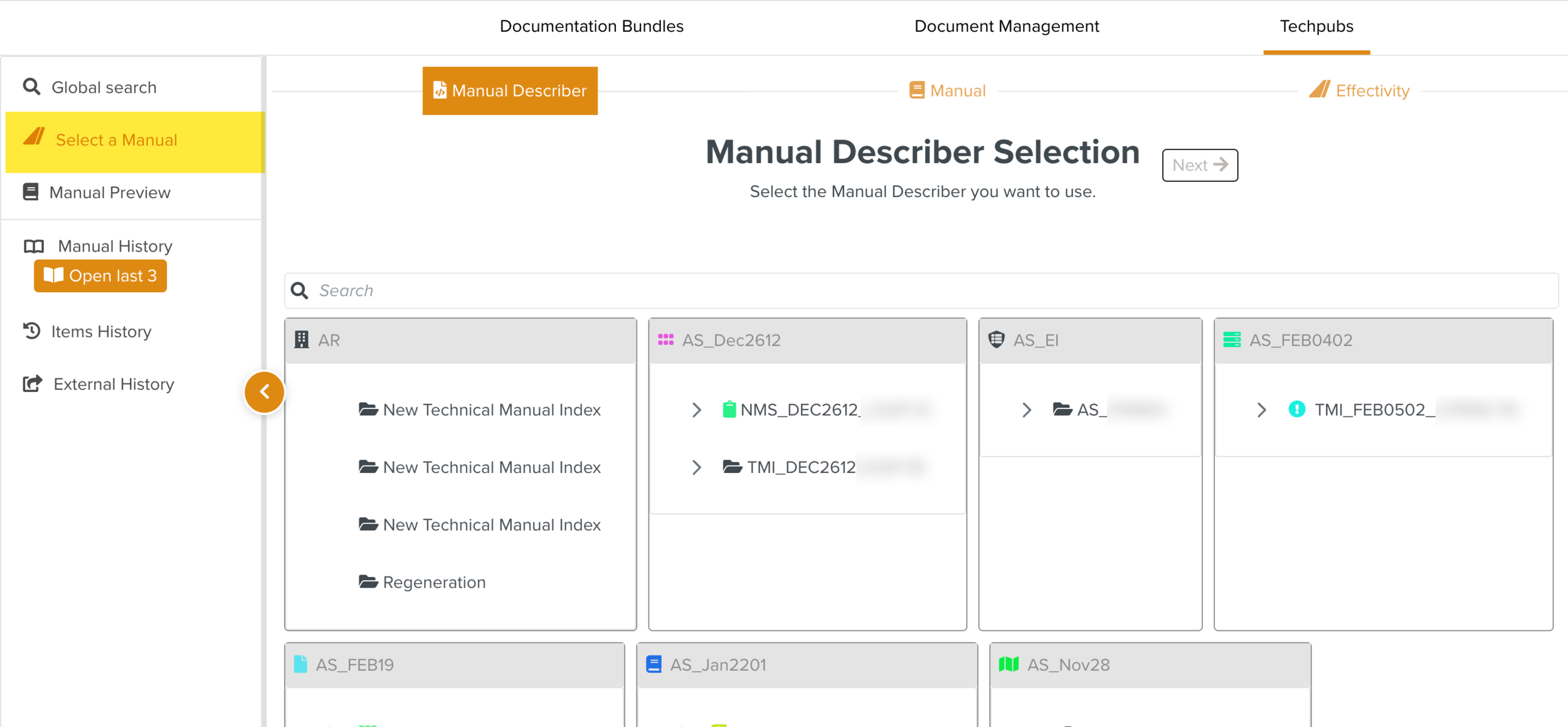 |
You can perform the following actions in Techpubs.
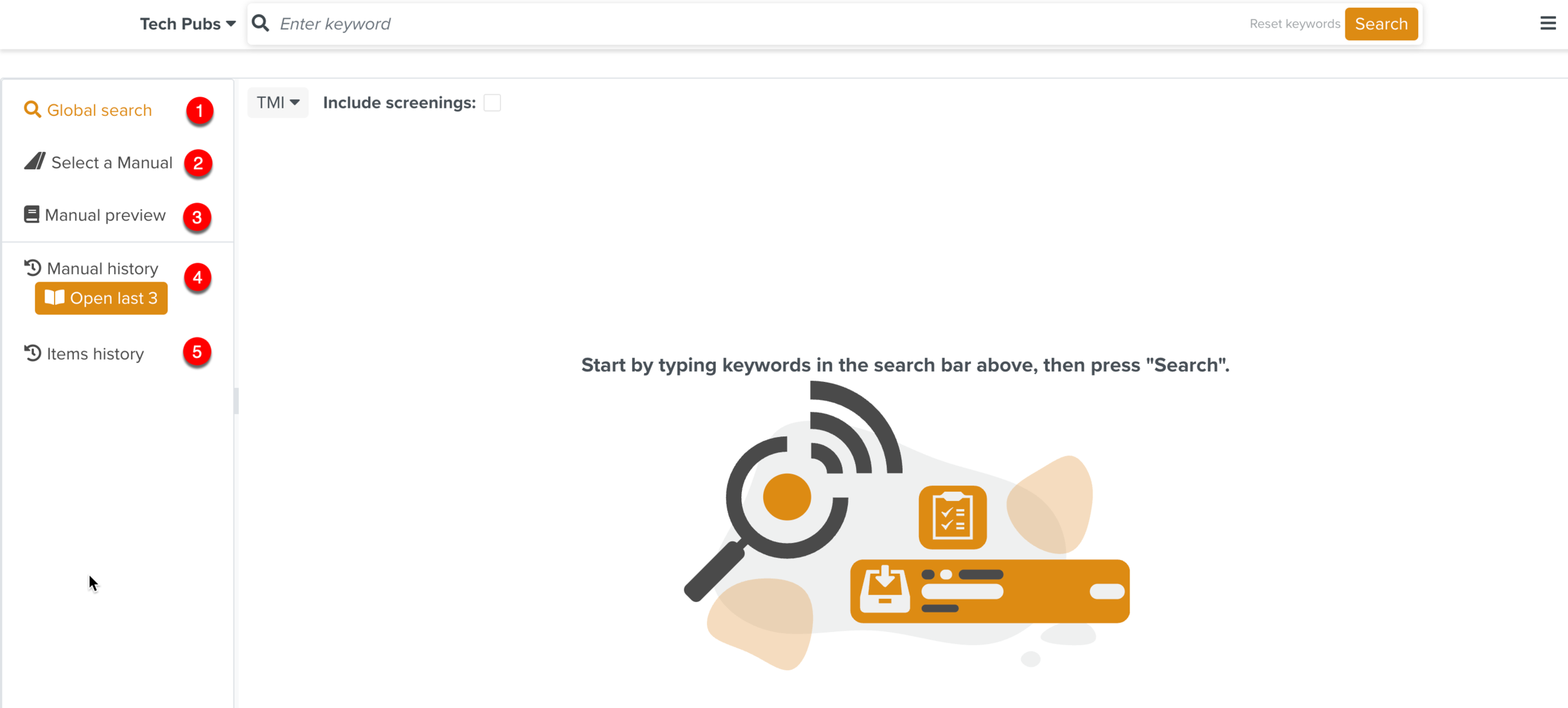 |
Global search: Perform a keyword search through the content of the Reference Manuals.
Select a Manual: Select the Manuals from the respective Technical Manual Index.
Manual preview: View the selected Manuals in different tabs.
Manual history: Displays a list of the previously viewed Manuals.
Items history: Displays a list of the previously viewed Manual elements.
External history: Displays a list of the Manuals and elements that were opened using the shared link.
You can search the content of Reference Manuals available in the system.
The search is a simple text match with the following conditions:
Only letters and numbers are considered.
Special characters are ignored. They are treated as space delimiters.
The search is case-insensitive.
The search engine also accepts multiple keywords separated by a space delimiter.
The search results are ordered by a system-generated score of relevance.
In the following example, the search keyword entered is Rotor Blade. The search returns 10718 results as shown below.
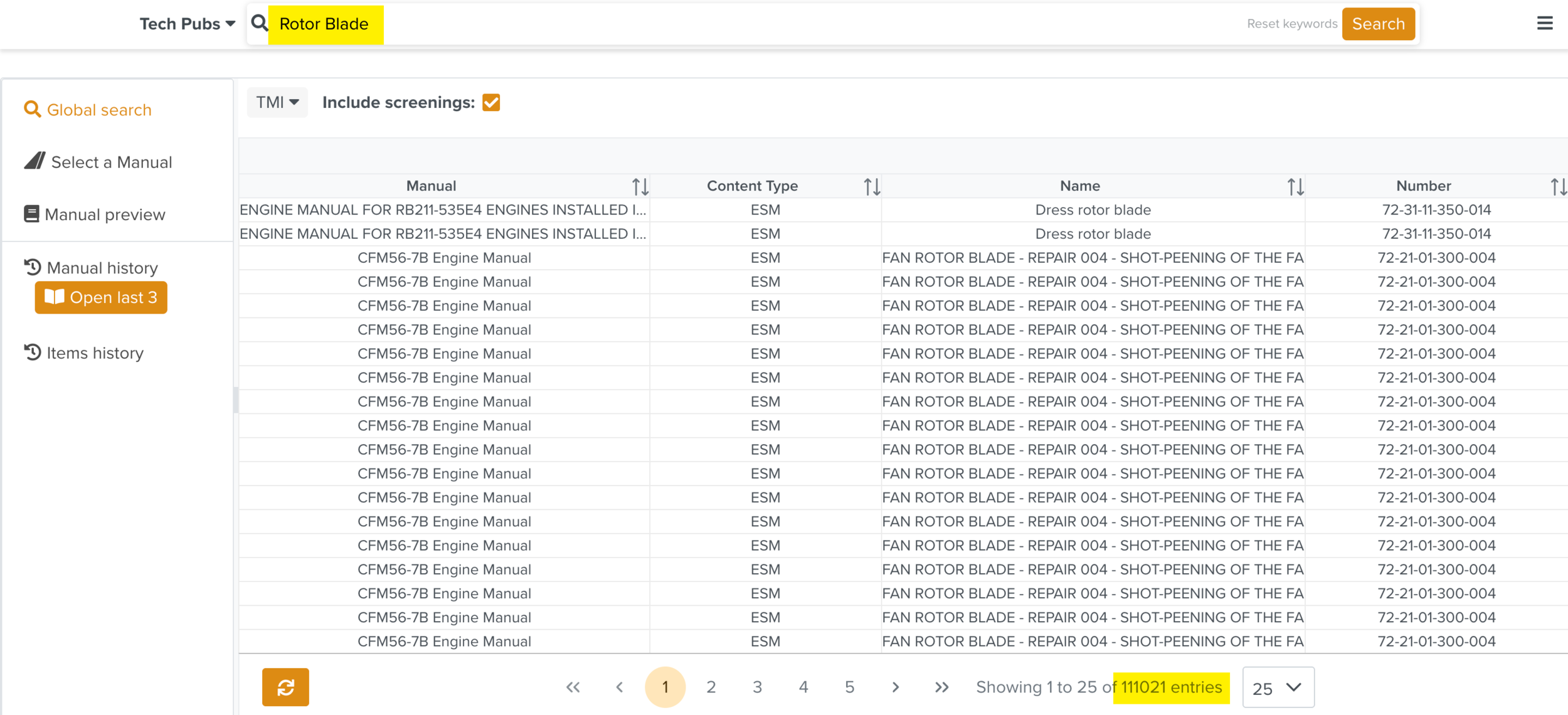 |
The following table highlights how the search results are ranked when the search term is Rotor Blade.
Keywords | Search Rank |
|---|---|
"Rotor Blade" | Results containing the phrase “Rotor Blade” rank higher in the search. |
"Rotor" & "Blade" | Results containing “Rotor” and “Blade” separately rank lower. |
"Rotor" or "Blade" | Results containing “Rotor” alone or “Blade” alone will not be included in the search results. |
The search results are displayed with the selected columns.
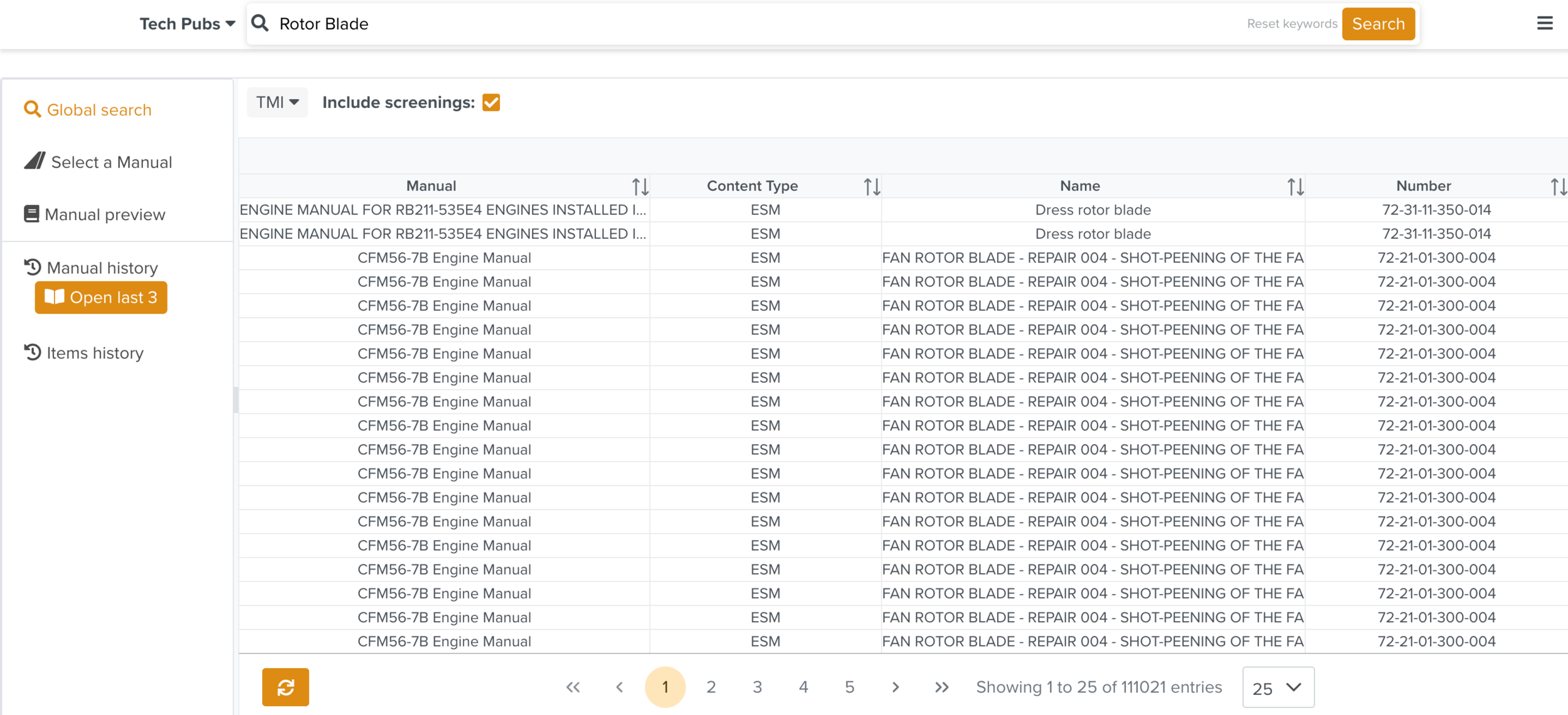 |
You can select the required columns from the list.
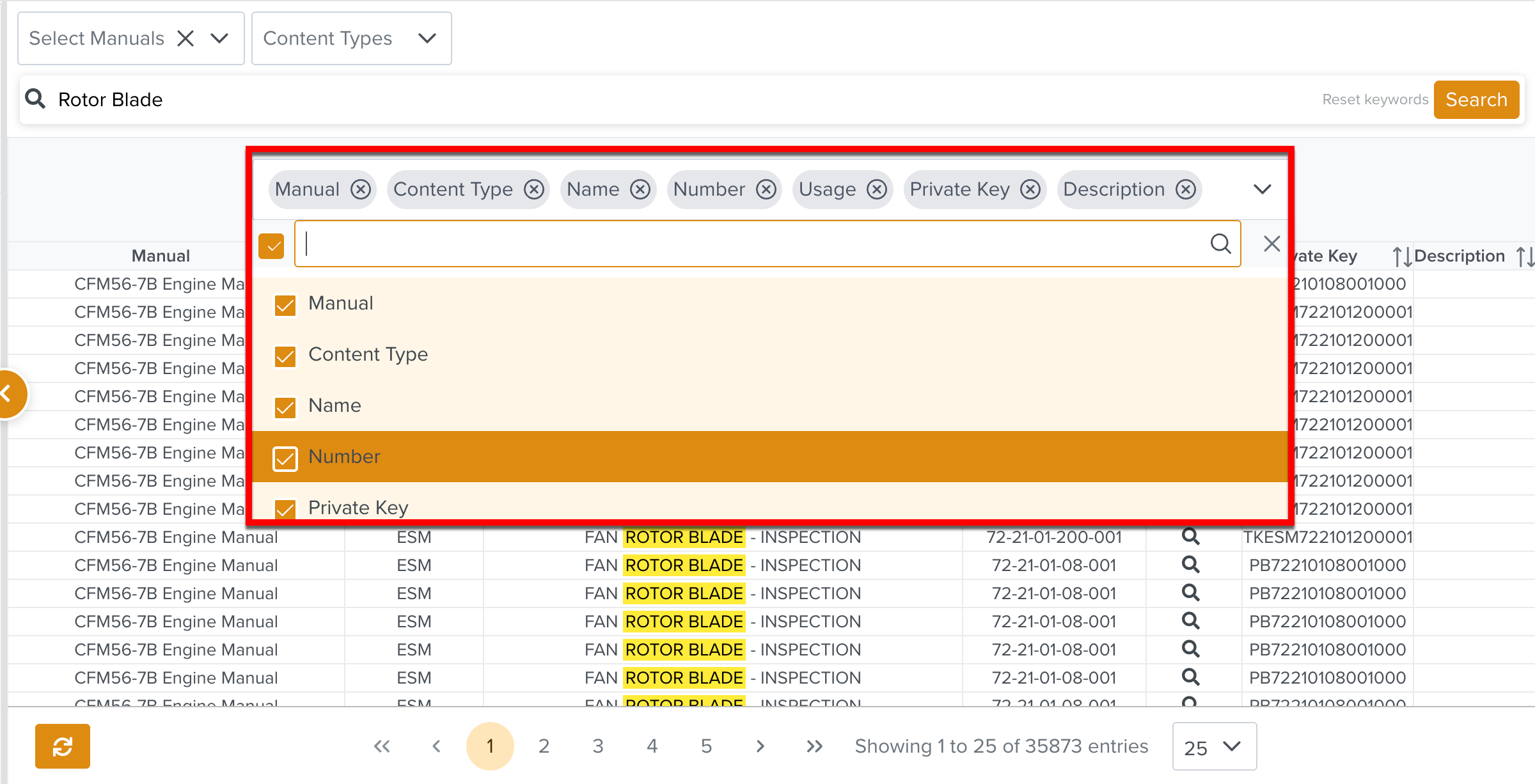 |
Columns | Description | |
|---|---|---|
Manual | Name of the Manual. | |
Content type | Displays the Content Type of the Manual such as ESM, AMM, ITEM, etc. | |
Name | Name of the section that contains the searched keyword. | |
Number | Represents the Public key of the element that contains the searched keyword. | |
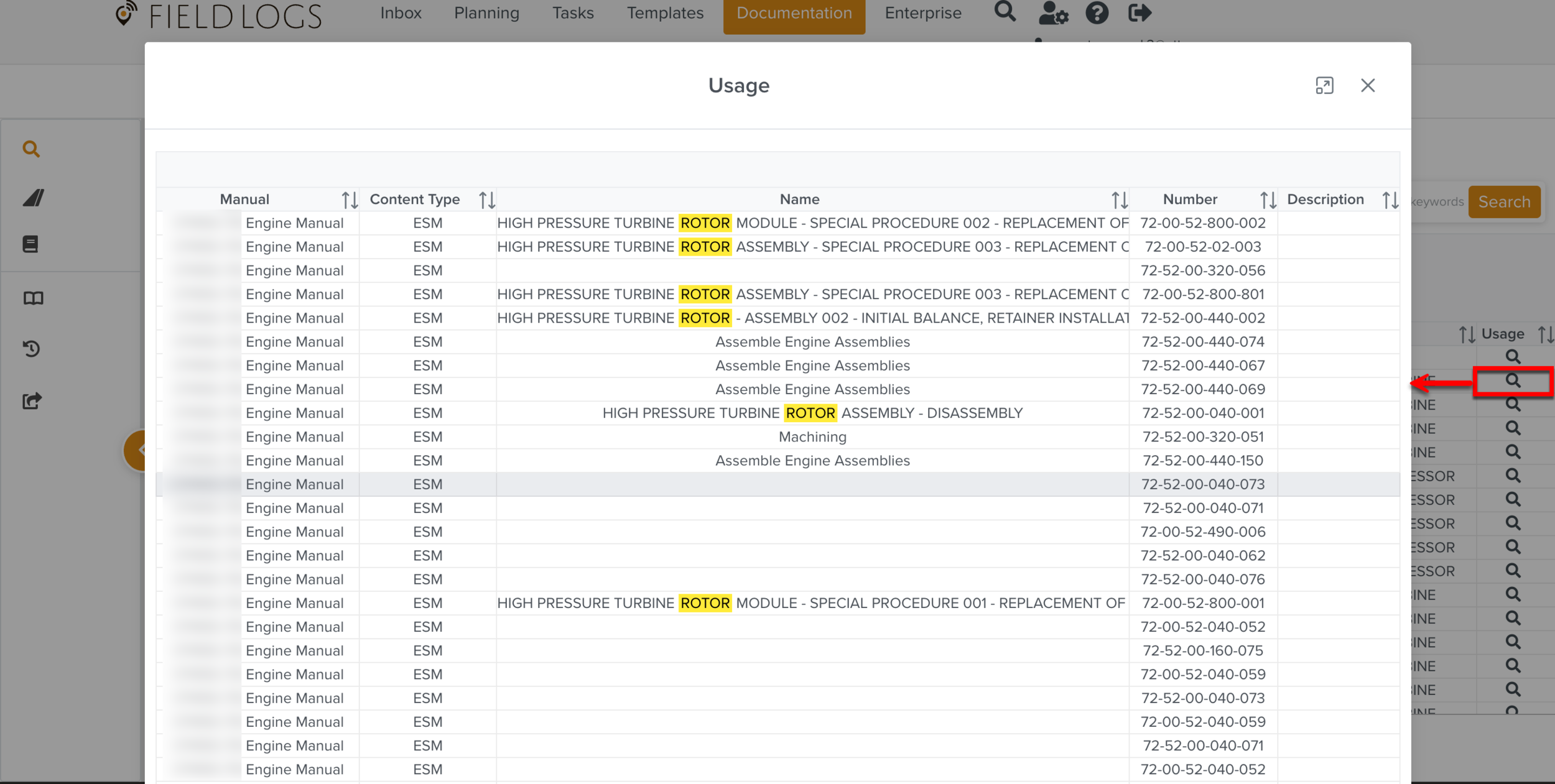
Usage | Displays the list of content from the different Manuals where the specified keyword is used. You can click the items to open the Manuals in the Manual Preview. The keyword is highlighted in all instances in the Usage table as shown below.
| |
Private Key | Represents the section of the searched keyword. | |
Description | Description of the section displayed. |
Keywords previously entered can be cleared by clicking .
 |
You can narrow down the search results by filtering them based on:
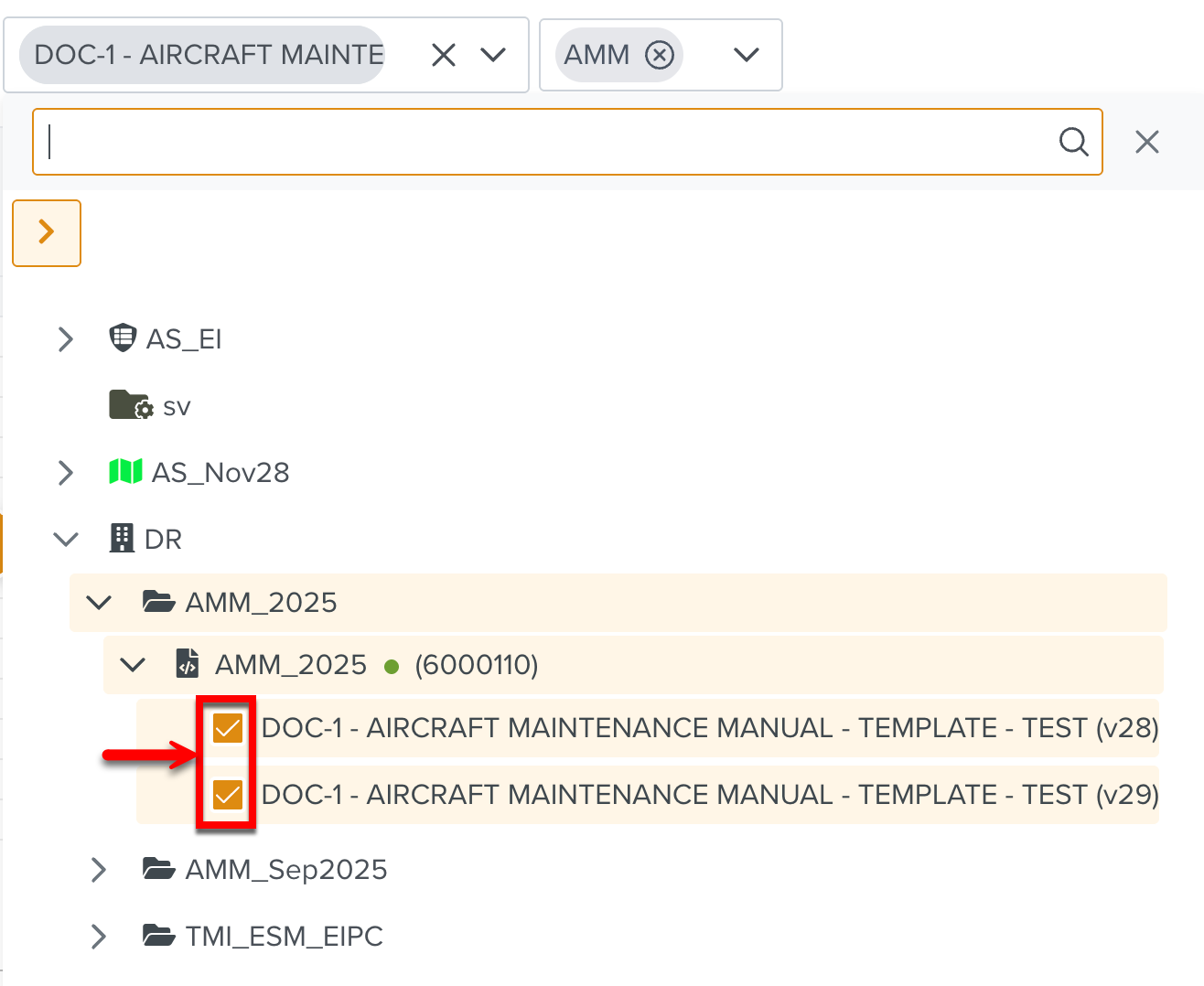
Reference Manuals: Selecting the Manuals under the Technical Manual Indexes displays the search results only in the selected Manuals.
In the example given below, different revisions of the Aircraft Maintenance Manuals are selected.
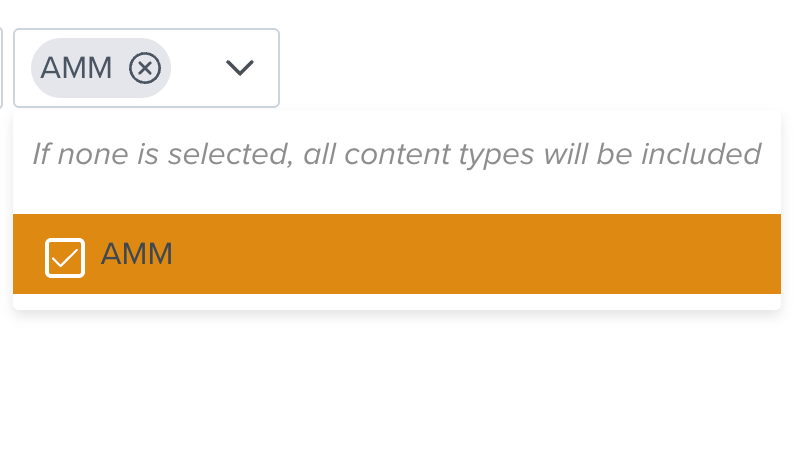
Content types: You can narrow down the search further by selecting the required Content type. The Content types dropdown appears only when the Technical Manual Index is selected.
In the following example, the system only has Reference Manuals of Content Type, AMM selected. When Reference Manuals of other Content Types are selected, they appear as options too.
Note
Only Indexed Manuals appear in Techpub search results. Indexing of Reference Manuals is performed by the FieldLogs team. All Reference Manuals uploaded will be automatically indexed.
If you require an existing Reference Manual to be indexed or a new Reference Manual to be added, please contact FieldLogs support.
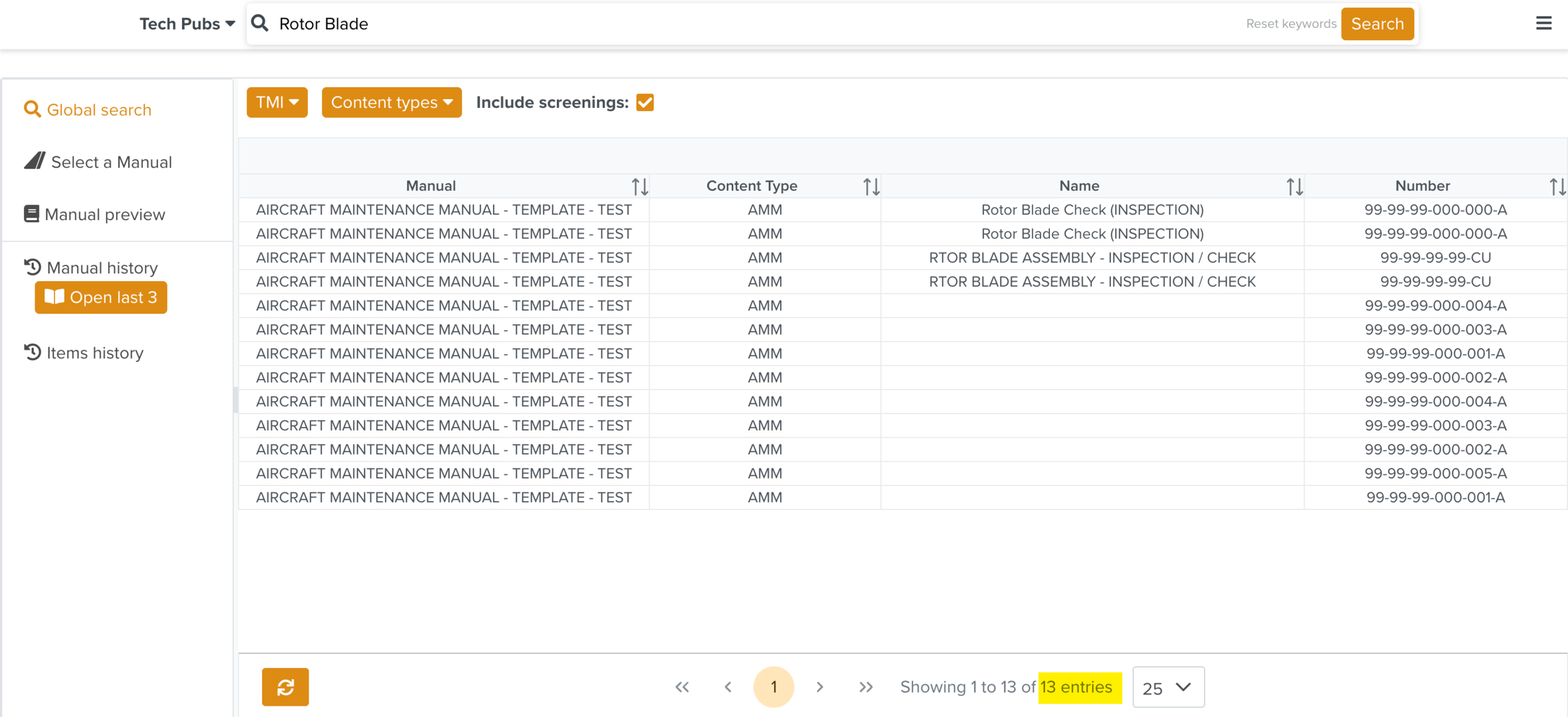
Based on the filters applied, the search result is narrowed down to 13 entries.
 |
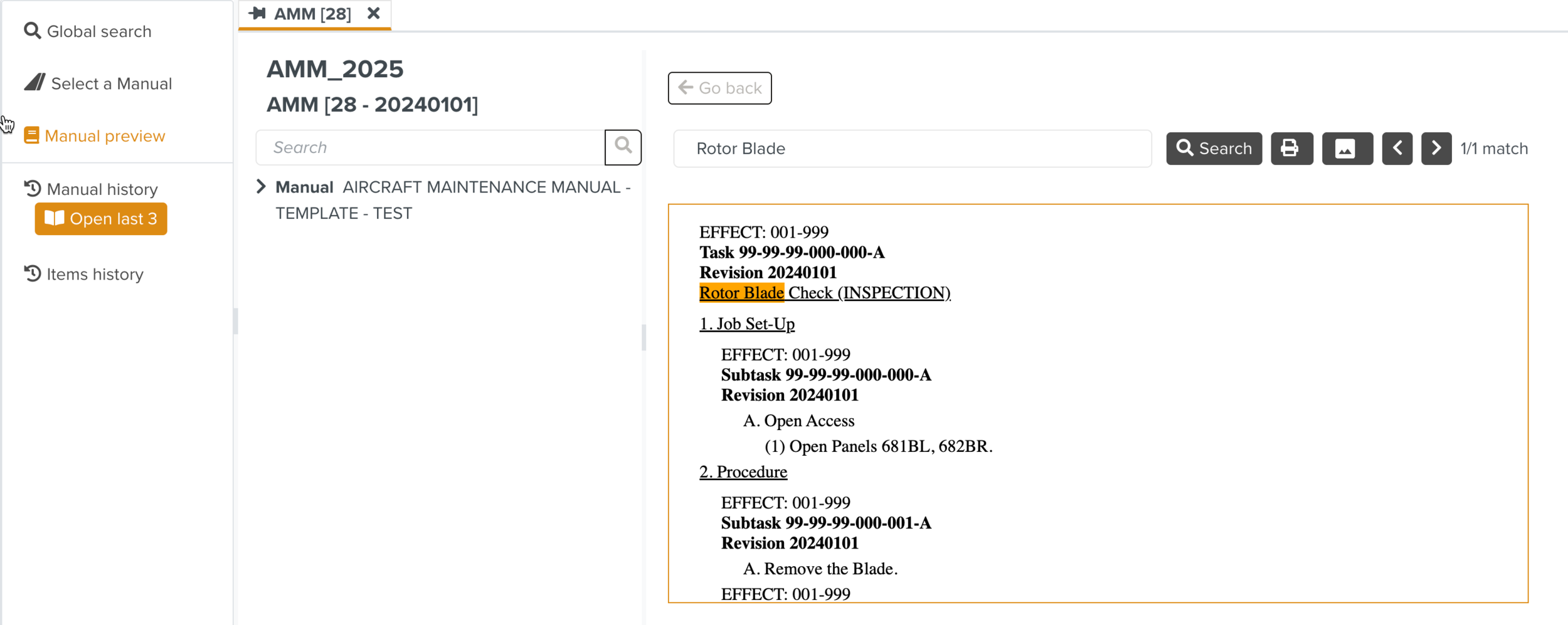
Clicking an entry opens the content in the Manual Preview highlighting the searched keyword Rotor Blade within the manual content.
In the below example, the opened entry is a Task which contains the keyword Rotor Blade in the content.
 |