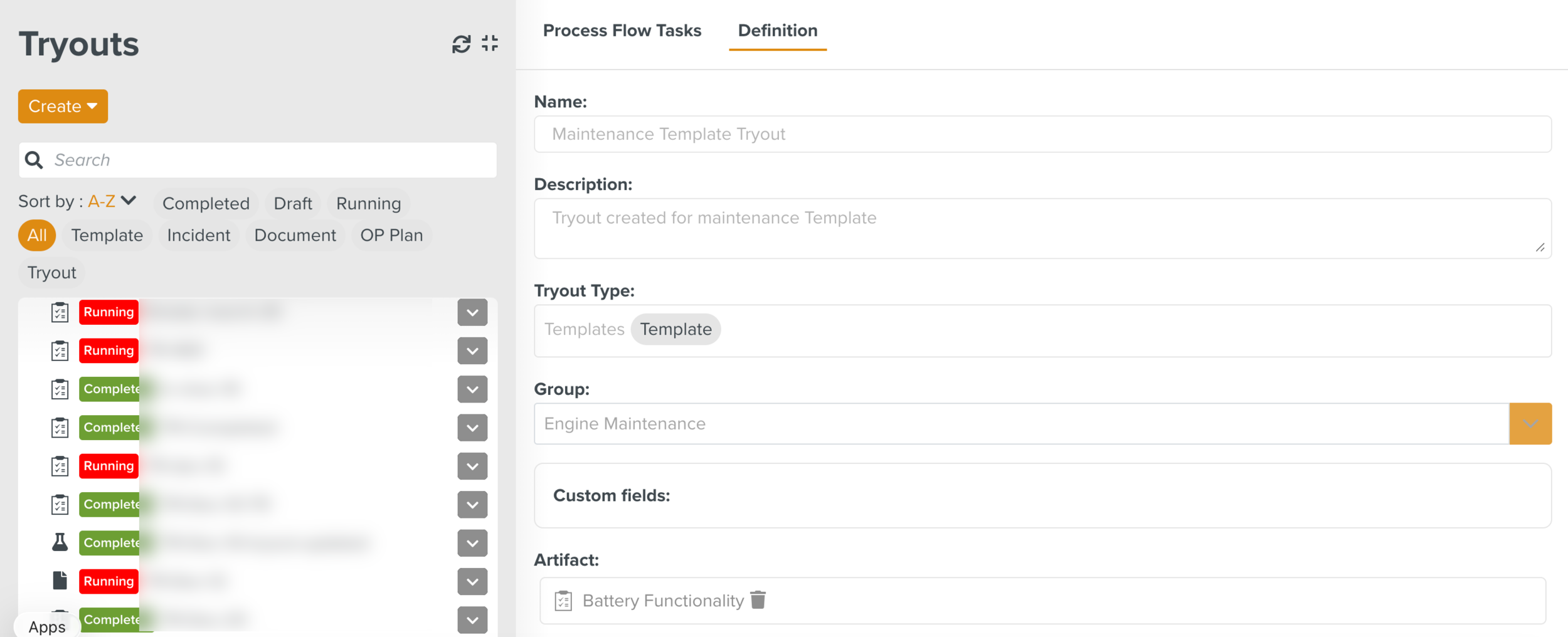
Assigning a Tryout Task from the Templates section
From the Template section, you can assign a Task for Tryout. Only Templates that are associated with a Tryout Definition can be assigned.
You can assign Tasks to a member, Task Queue or a Team using the Assign (Tryout) option.
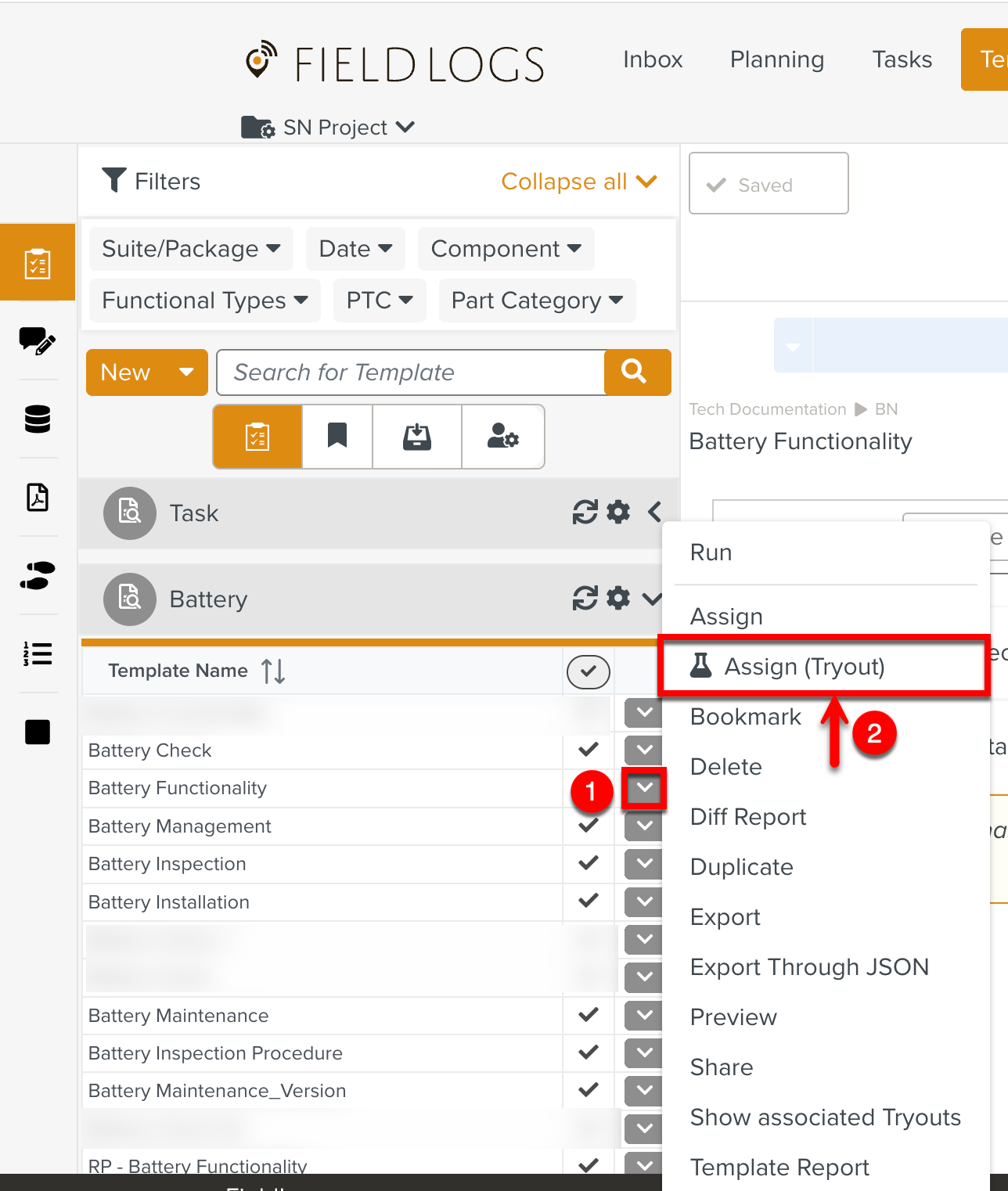 |
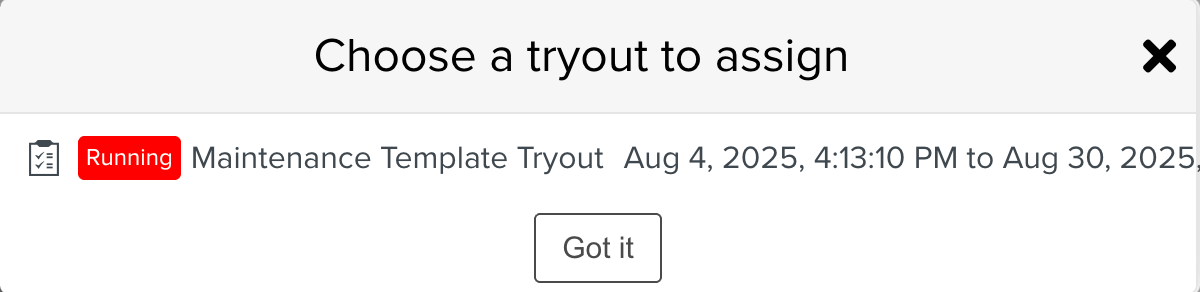
When you click Assign (Tryout), all Tryouts associated with the Template are displayed. You can select the required Tryout and click .
 |
The Assign Template dialog opens.
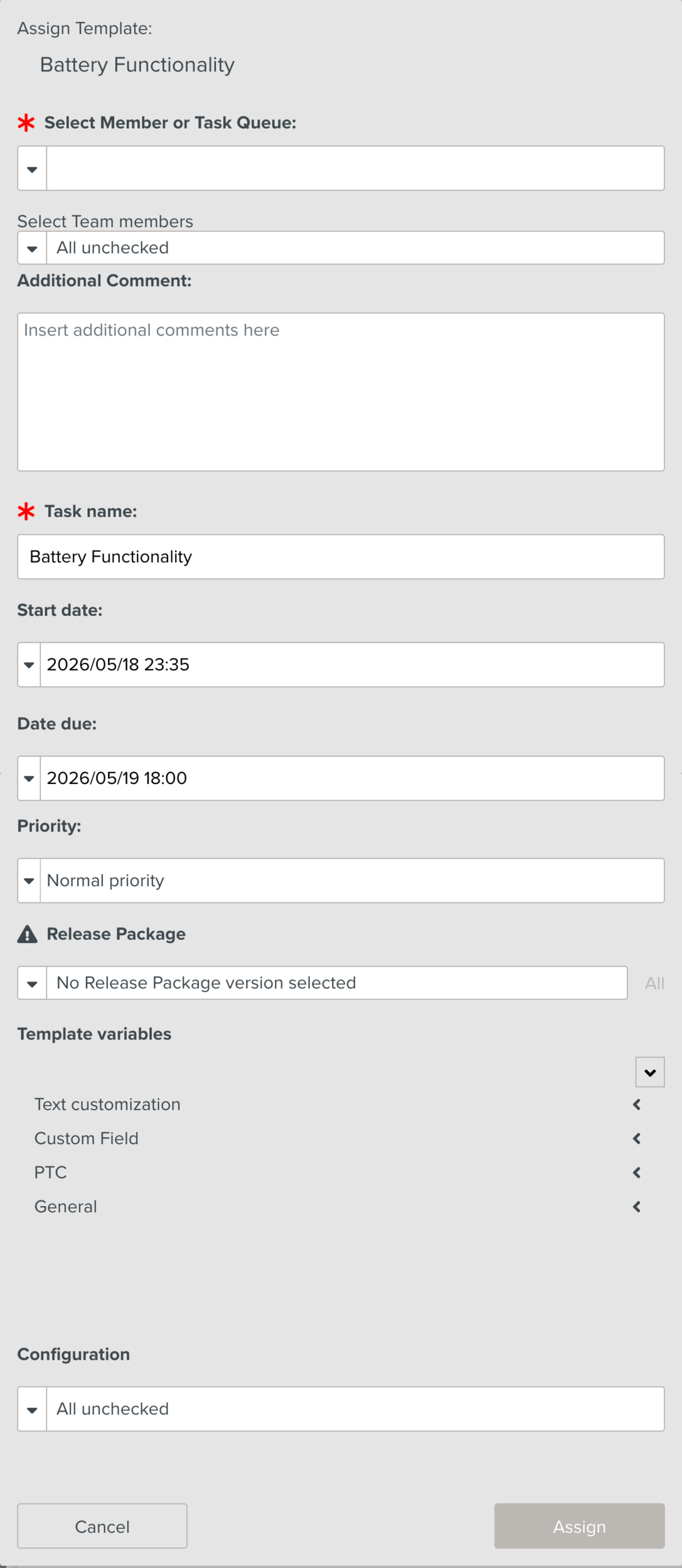 |
You can follow the similar procedure as assigning a Task to a member, Task queue or a Team.
When the Tryout Task is assigned, a Tryout label is displayed on the Task as shown below in the relevant sections - Inbox, Planning, and Tasks.
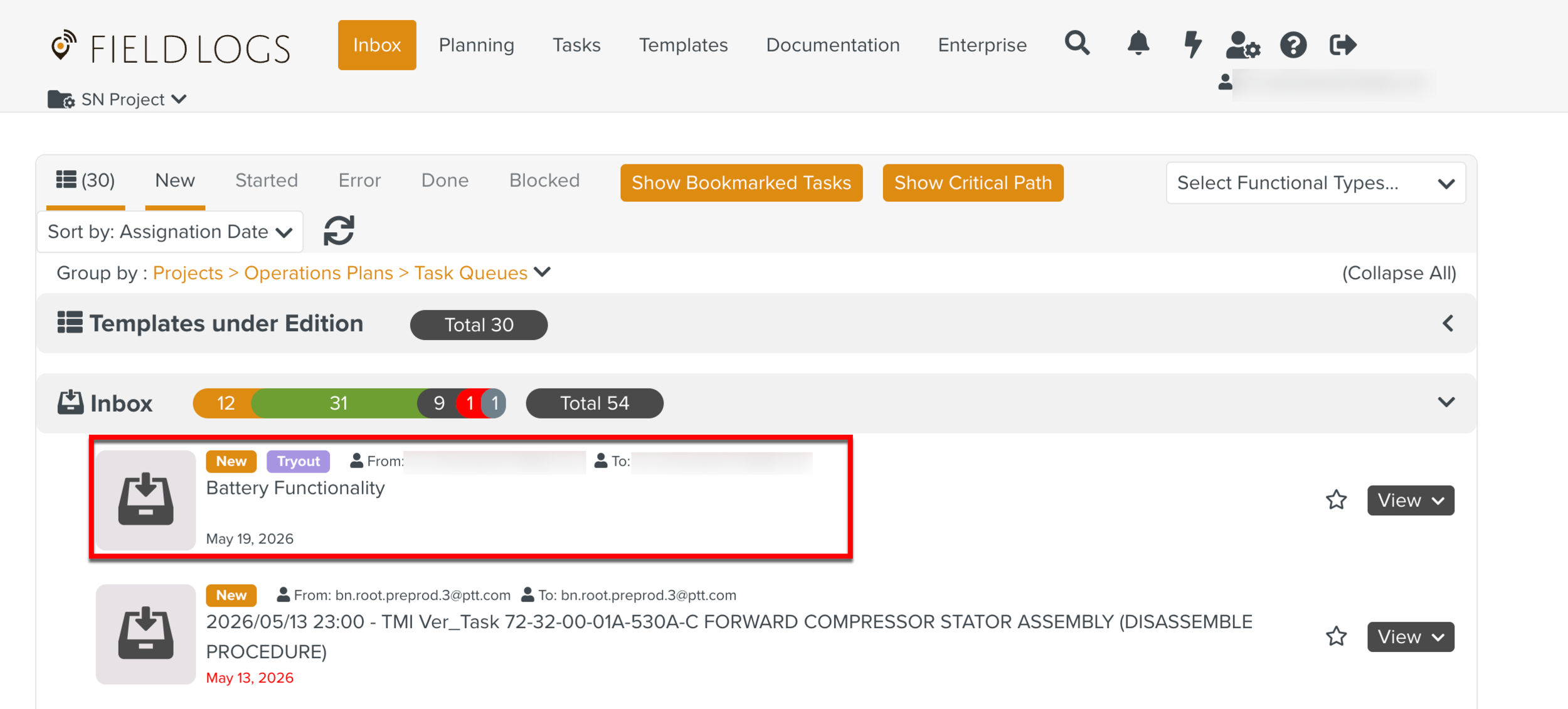 |
Hovering over the label displays the Tryout name. You can click on the name to view the corresponding Tryout Definition and Process Flow Task in the Tryouts section.