Assigning the Right Template Version
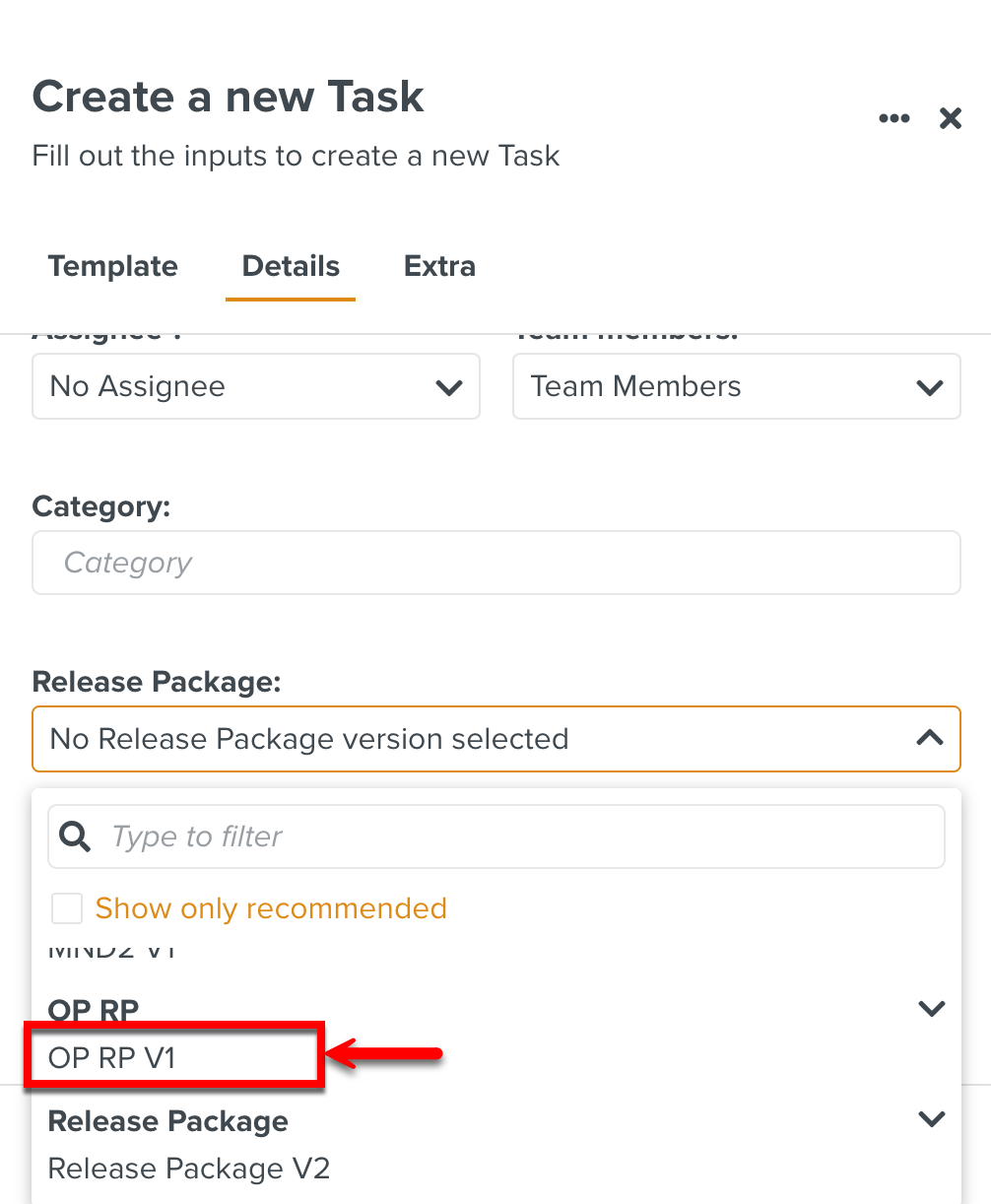
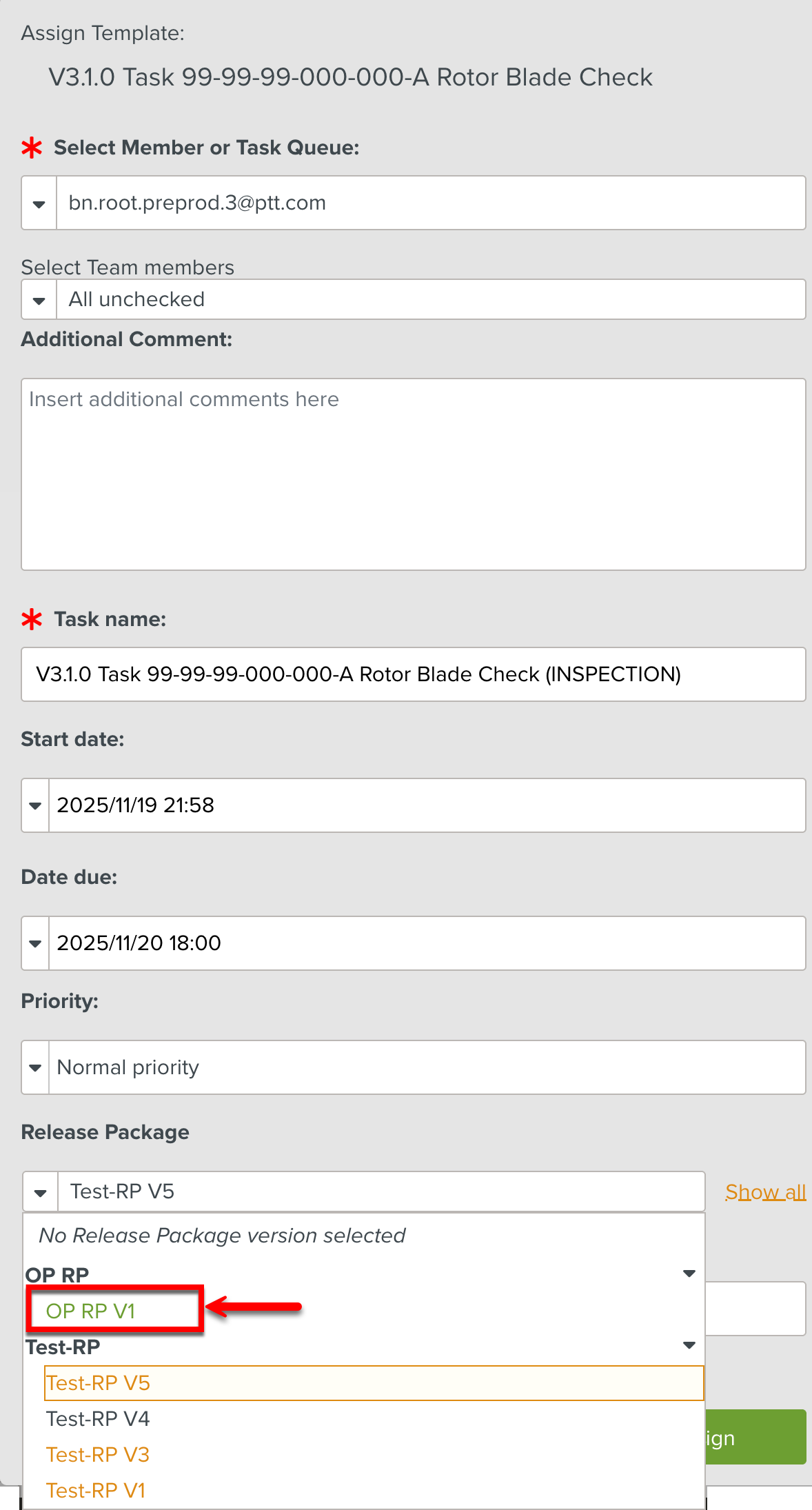
While creating or assigning a Task, the Release Package is selected as shown below. This step also sets the Template version to be used for the Task generated from the Manual linked to the selected Release Package.
 |
 |
When a user clicks the option on a Task, the Template version is automatically selected for the Task based on the predefined settings.
The Template version is selected based on the following Enterprise settings.
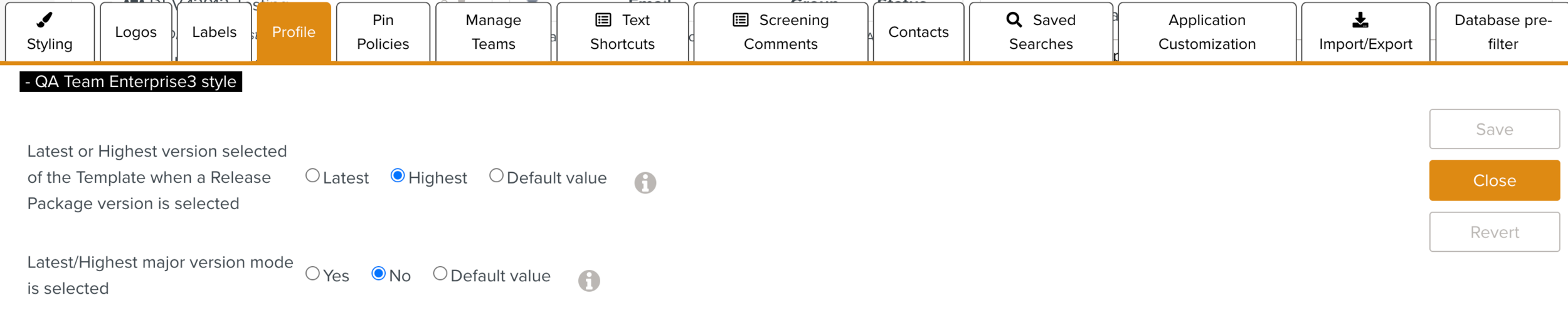
Template version selected when a Release Package version is selected: Determines whether the system selects the Template with the latest publish date or the highest version number.
The default value is Latest.
Latest/Highest major version mode is selected: When enabled, only major versions (e.g., 3.0.0, 2.0.0) are considered during selection.
The default value is No.
The most recently published version of the Template is the Latest/Current version. The version with the greatest version number value is the Highest version.
Note
The Latest version may be a version much lower than the Highest version.
Let us consider a Template with multiple versions as shown below.
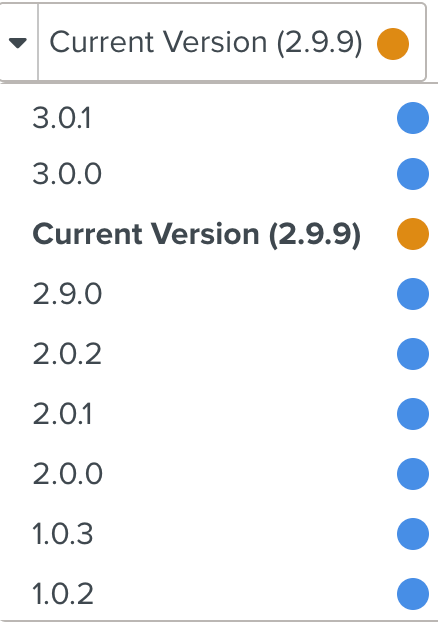 |
Here, the highest version is 3.0.1 and the latest version is 2.9.9.
The Template version selected can be modified by altering the Enterprise settings as highlighted:
Latest or Highest version selection | Major version mode selection | Assigned versions |
|---|---|---|
Latest | Yes | The most recently published major version. (3.0.0) |
Latest | No | The most recently published version. (2.9.9) |
Highest | Yes | The highest major version. (3.0.0) |
Highest | No | The version with the highest version number. (3.0.1) |