Using Tryout
A Tryout provides a controlled environment where features are validated before they can be used across the Enterprise. Detailed logs and reports are generated during a Tryout. Feedback is evaluated and incorporated before the feature is executed.
A feature picked up for a Tryout is called an Artifact. Currently, the following Artifacts can be used in a Tryout.
Template
Incident
Document
Operation Plan
Tryout
You can configure Notifications for events of interest. This will notify target users when the event occurs during the Tryout.
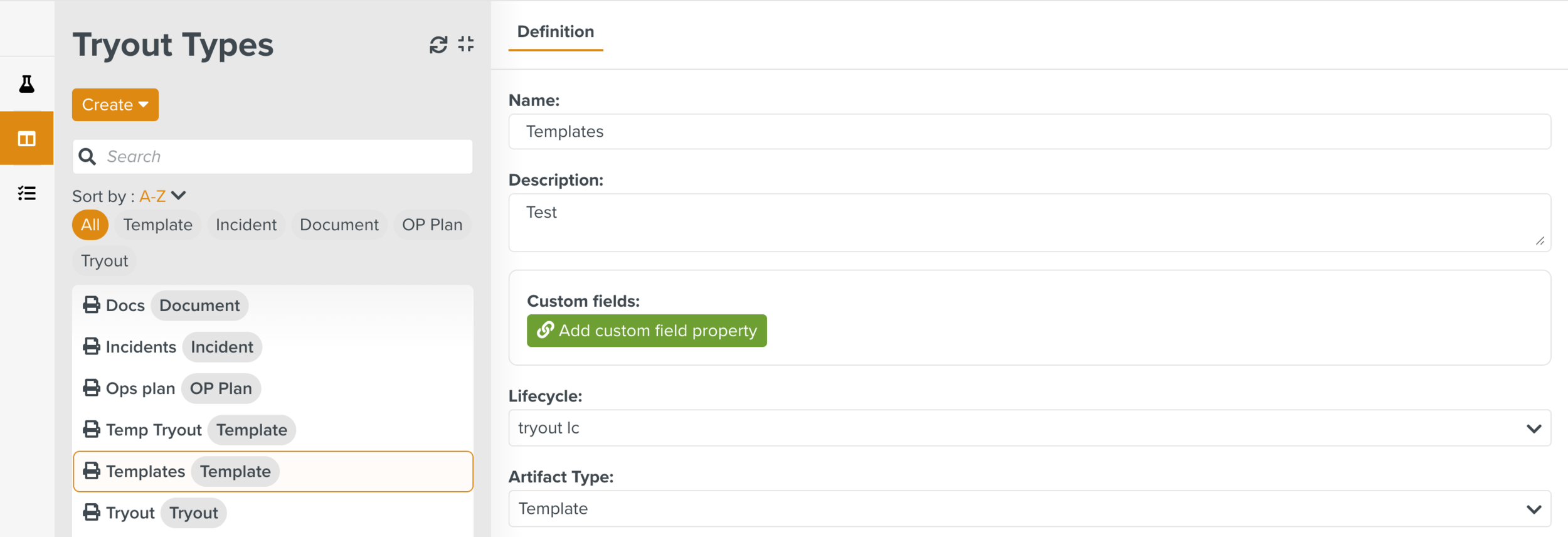
The workflow of a Tryout process is specified in a Custom Lifecycle. The Lifecycles can be associated with different Tryout Types. The Tryout Types link the Artifact Types to the Custom Lifecycles. This ensures that specific workflows are followed to validate different Artifact types.
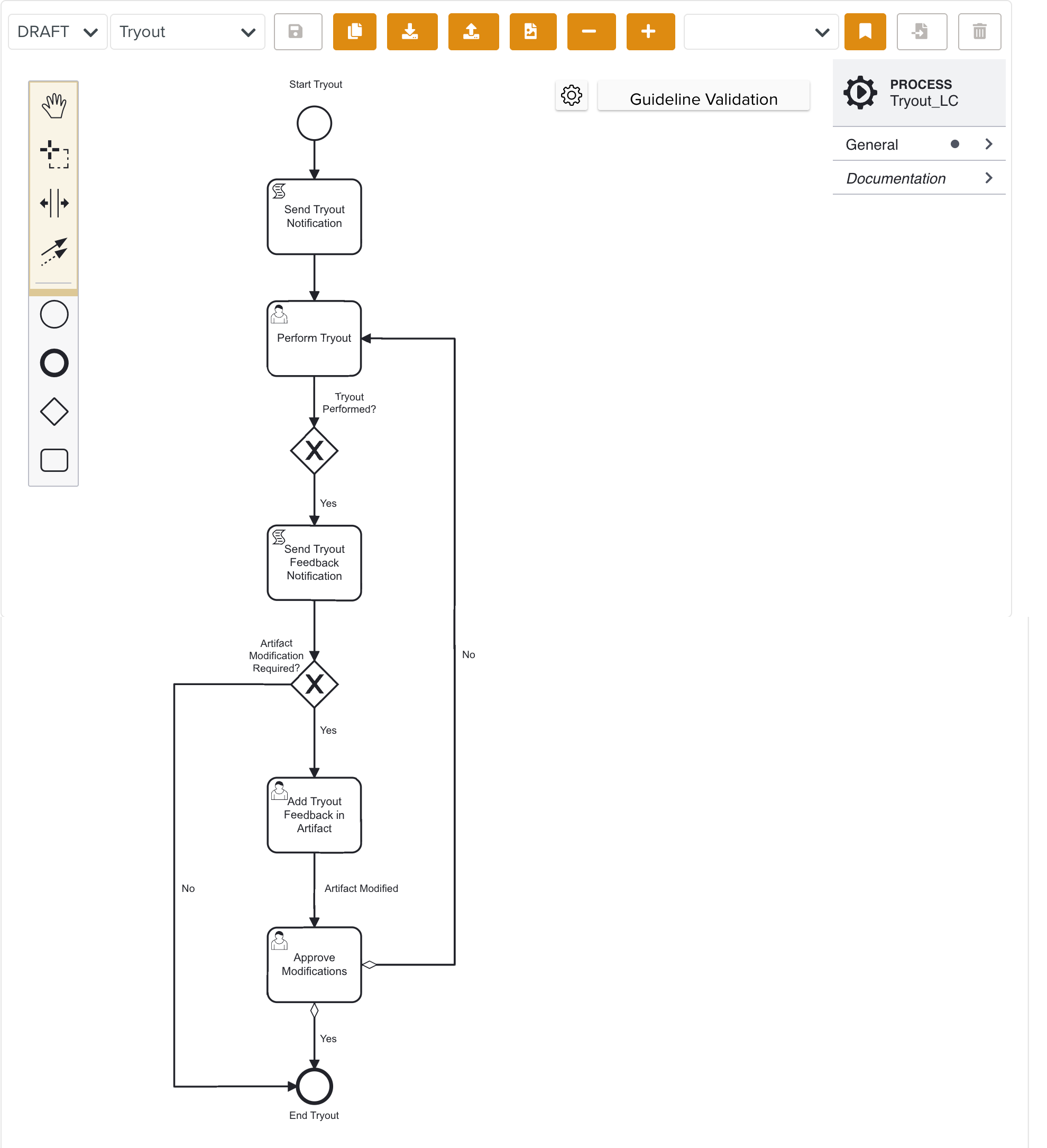
In the example below, the Tryout Type Template created for the Template Artifact Type is selected. The Lifecycle linked for the validation of the Templates is TryoutLC.
 |
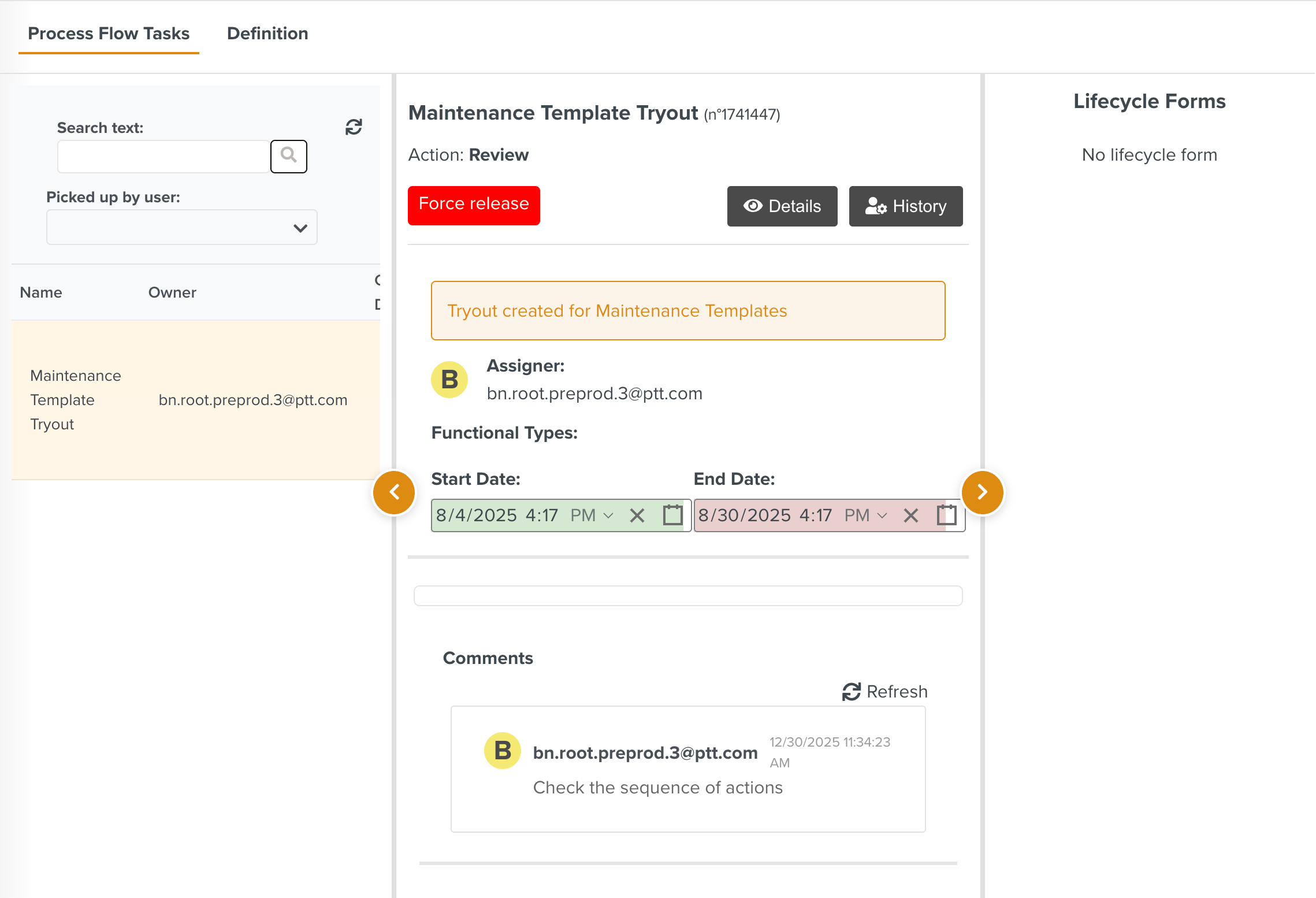
The Tryout Type can then be linked to a Tryout to validate the Artifact associated with it. For each Tryout that is run, a Tryout Task is generated which can be viewed in the Process Flow Tasks section.
 |
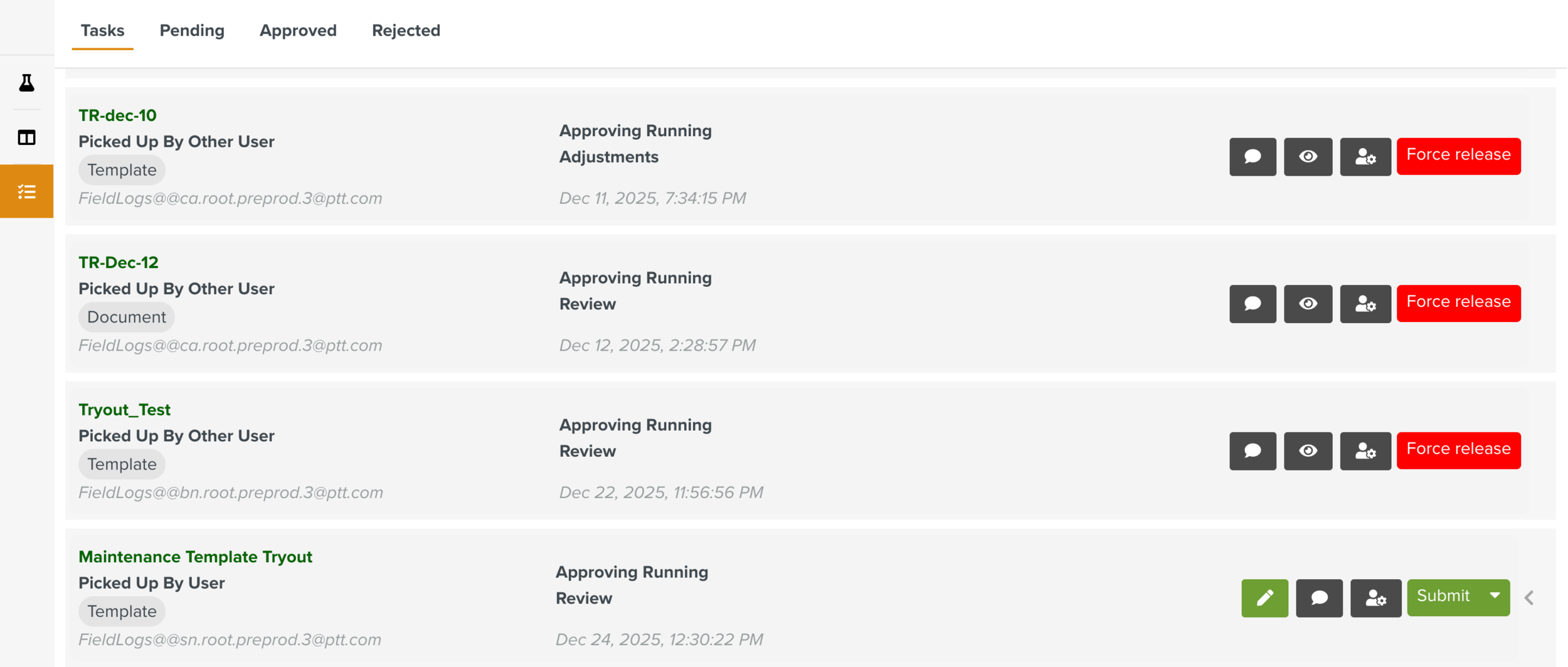
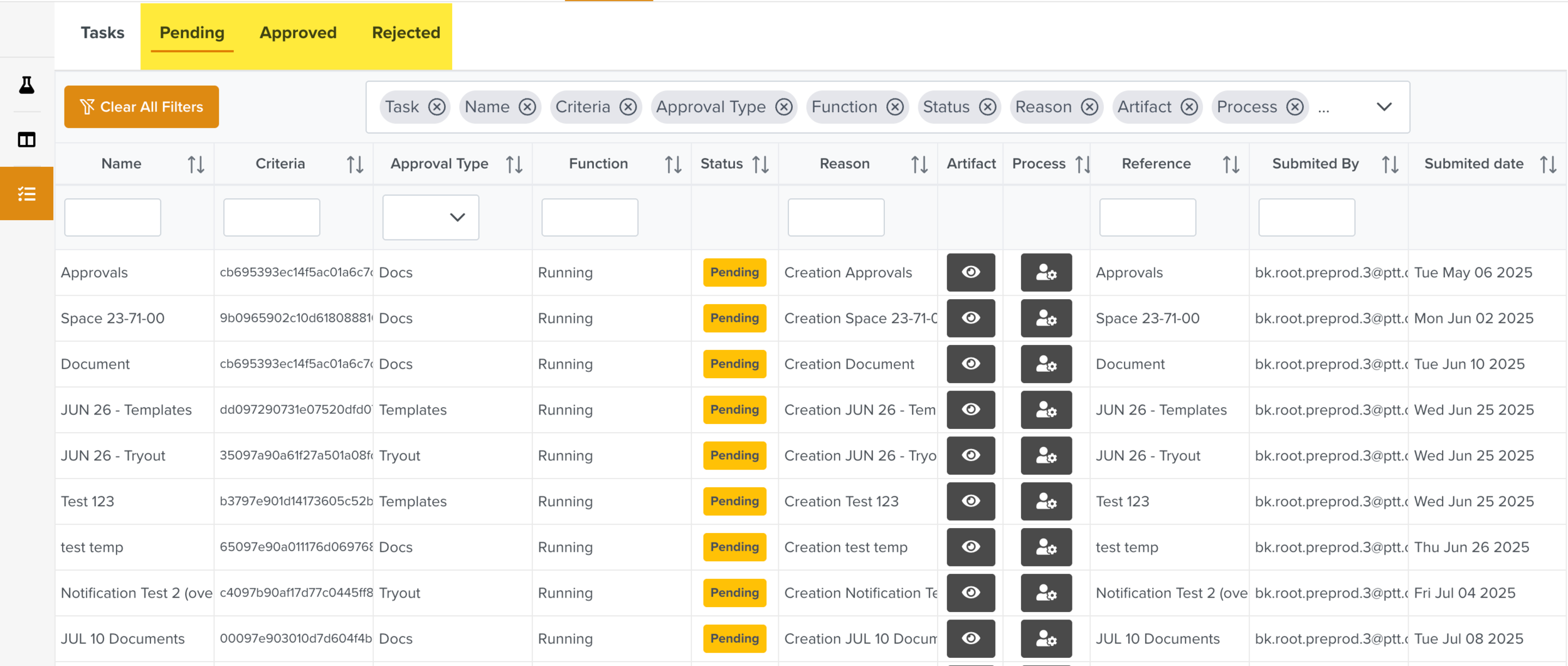
The Tryout Tasks generated for all the Tryouts are displayed in the Approval Manager dashboard. The Tryout Approval Manager can pick up the Tasks to complete the different stages in the validation of the Artifact.
 |
The Tryout Tasks with different statuses are organized under the tabs as shown below.
 |
To access the Tryout and perform related operations, the user must be associated with a Security Role that has appropriate Access Rights.
Alternatively, you can embed a Tryout Lifecycle to the Template Publication Lifecycle as shown in the below example.
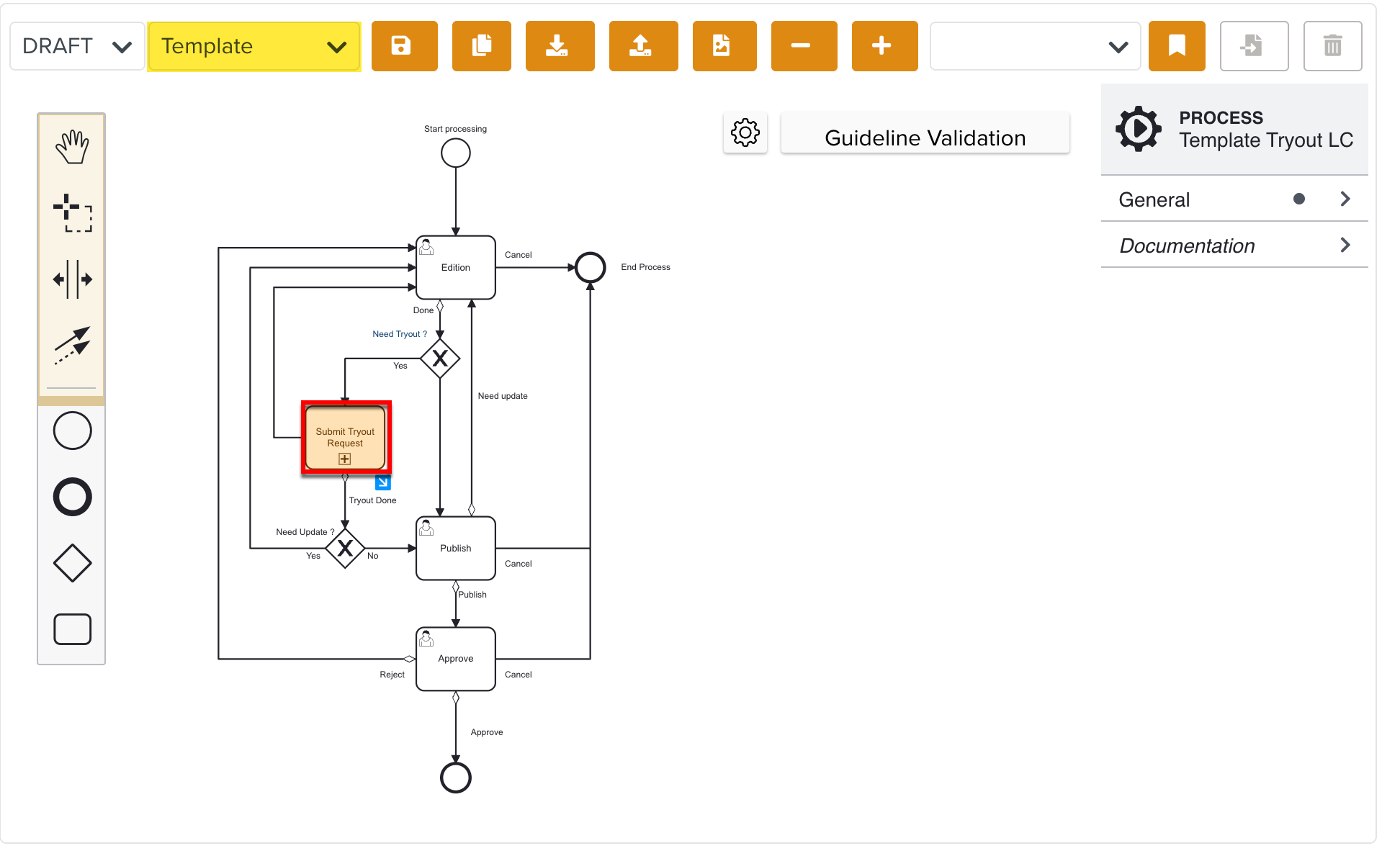 |
This Lifecycle can be configured to automatically create a Tryout Definition for the Template. When you run the Tryout Definition, the system generates a Tryout Process Flow Task for Template validation. This allows you to execute and validate the Template before publishing it.